Description
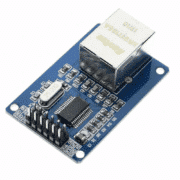
ENC28J60 SPI Ethernet Module — 10- and 12-Pin Versions
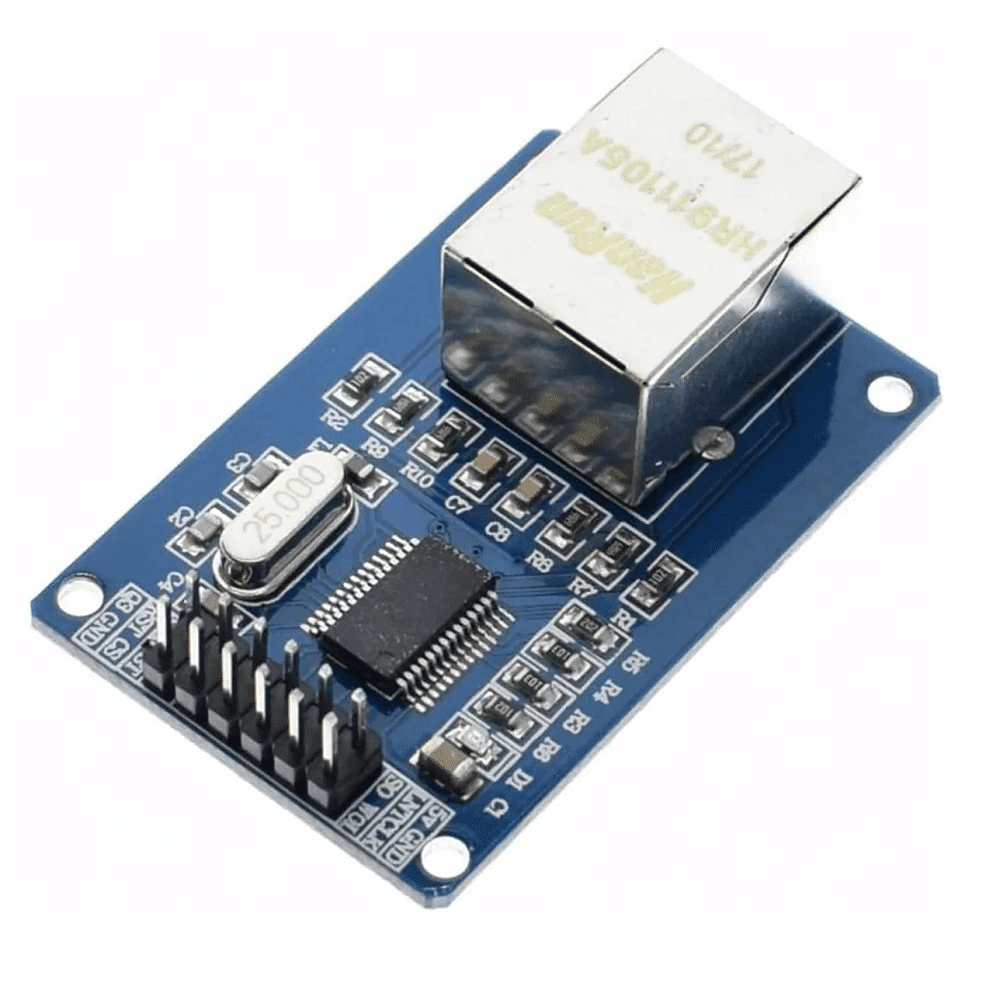
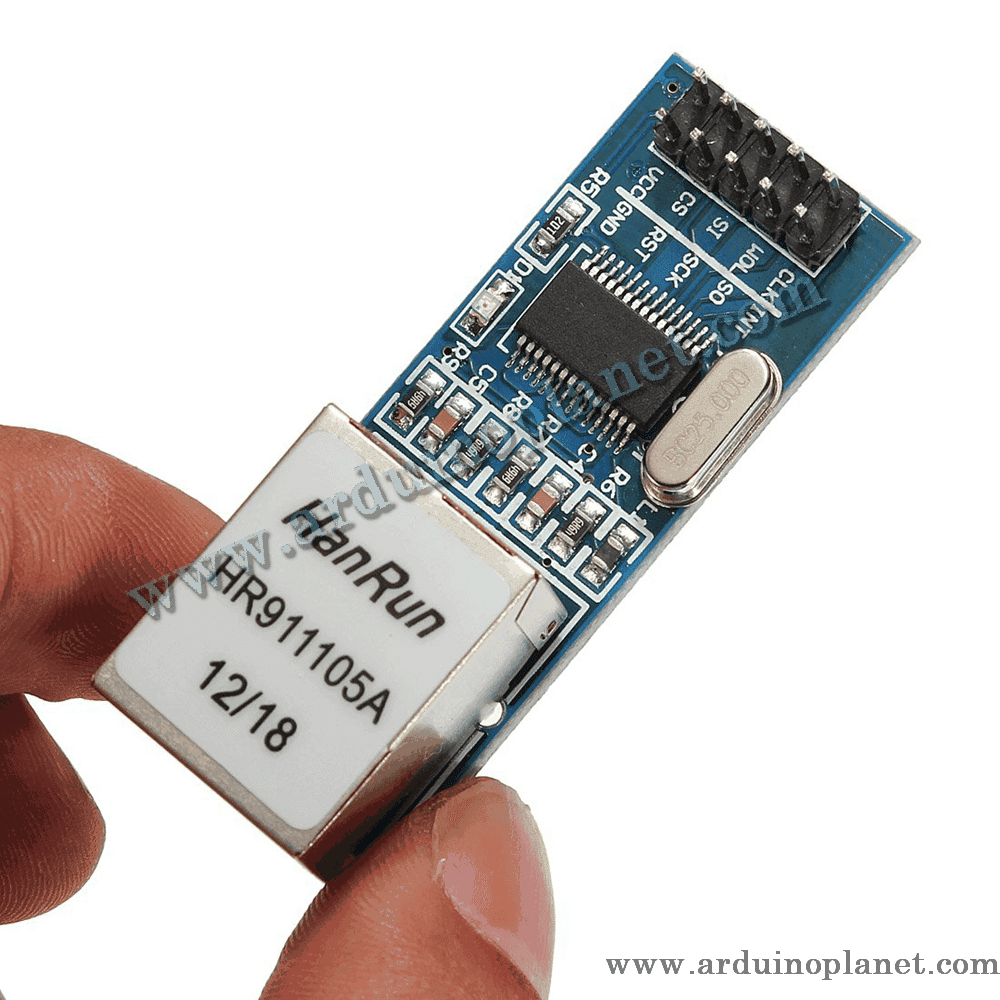
Add wired Ethernet to Arduino, ESP32, STM32, PIC, AVR and other microcontroller projects with this ENC28J60 module. The board provides an RJ45 connector and connects to the host controller over SPI. It can be used for local-network prototypes such as a small web server or sending sensor readings, subject to the selected controller and software.
Choose the listed 10-pin or 12-pin version. Connector layout, power circuitry and labels can vary between board revisions even when they use the same ENC28J60 controller; follow the markings on the exact board supplied.
🔄 Available versions
| Feature | 10-pin version | 12-pin version |
|---|---|---|
| Main connector | Single row of 10 pins | 2 × 6-pin connector |
| Host communication | SPI | SPI |
| Core signals | CS, SCK, SI, SO | CS, SCK, SI, SO |
| Auxiliary signals | RESET, INT, WOL, CLKOUT | RESET, INT, WOL, CLKOUT |
| Power input | VCC as marked on the board | Some versions expose separate 5 V and 3.3 V inputs |
The Ethernet function is the same in both variants, but the board pinout and regulator arrangement may differ. Check the received module before wiring.
⭐ Features
- Wired RJ45 Ethernet connection
- Two listed board formats: 10 or 12 pins
- SPI connection to the microcontroller
- ENC28J60 Ethernet controller
- Link/activity indicators on some board versions
- Arduino libraries are available for compatible ENC28J60 modules
- Useful for low-cost wired-network and IoT prototypes
🔧 Controller specifications
- Controller: Microchip ENC28J60
- Network: IEEE 802.3-compatible 10BASE-T Ethernet
- Maximum Ethernet data rate: 10 Mbit/s (not Gigabit Ethernet)
- Host interface: SPI
- On-chip packet buffer RAM: 8 KB
- RJ45 connection; transformer/magnetics are integrated on the listed module
- Controller oscillator: 25 MHz
- ENC28J60 logic supply: 3.3 V
- TCP/IP protocol stack: provided by the host microcontroller’s library/software
- Module headers: 10 or 12 pins, depending on the selected variant
Logic-level note: the ENC28J60 IC’s CS, SCK, SI and RESET inputs are 5 V tolerant, but its SO and interrupt outputs are 3.3 V. A 5 V host may require level translation on signals returning to the host. This describes the IC; it does not confirm the voltage tolerance of every breakout-board pin.
📌 Common pin functions
| Board label | Function |
|---|---|
| VCC / 3V3 | 3.3 V supply, where marked |
| 5V | 5 V input only on boards whose regulator and label support it |
| GND | Ground |
| CS / SS | SPI chip select |
| SCK | SPI clock |
| SI / MOSI | Data from host to module |
| SO / MISO | Data from module to host |
| RESET / RST | Active-low reset |
| INT | Interrupt output |
| WOL | Wake-on-LAN signal |
| CLKOUT | Programmable clock output |
On a 12-pin version, never connect the 5 V and 3.3 V supply inputs at the same time. Use only the supply input supported by the board’s markings and circuit.
🔌 Example wiring: Arduino Uno/Nano
| ENC28J60 module | Arduino Uno/Nano |
|---|---|
| CS | D10 |
| SI / MOSI | D11 |
| SO / MISO | D12 |
| SCK | D13 |
| GND | GND |
| RESET | RESET or an optional digital pin |
| INT | Not required for the example |
| WOL, CLKOUT | Leave unconnected for the example |
For power, use 5 V only if the board has a regulator and is explicitly marked for a 5 V input. A board marked only 3V3 needs a suitable stable 3.3 V supply. If marked VCC, verify its required voltage first. The Uno’s 3.3 V output may not supply enough current for some ENC28J60 boards; a stable external supply may be needed. Connect the grounds together.
💻 Arduino example — Mini web server
Install the EthernetENC library from the Arduino IDE Library Manager. The original French listing’s code example is kept unchanged below.
#include <SPI.h>
#include <EthernetENC.h>

byte mac[] = {
  0x02, 0x12, 0x34, 0x56, 0x78, 0x90
};

IPAddress ip(192, 168, 1, 177);
EthernetServer server(80);

void setup() {
  Serial.begin(9600);

  // Broche CS utilisée avec Arduino Uno/Nano
  Ethernet.init(10);

  Ethernet.begin(mac, ip);
  server.begin();

  Serial.print("Adresse IP : ");
  Serial.println(Ethernet.localIP());
}

void loop() {
  EthernetClient client = server.available();

  if (client) {
    bool ligneVide = true;

    while (client.connected()) {
      if (client.available()) {
        char caractere = client.read();

        if (caractere == '\n' && ligneVide) {
          client.println("HTTP/1.1 200 OK");
          client.println("Content-Type: text/html");
          client.println("Connection: close");
          client.println();

          client.println("<!DOCTYPE html>");
          client.println("<html>");
          client.println("<head><meta charset='UTF-8'></head>");
          client.println("<body>");
          client.println("<h1>Micro-Planet</h1>");
          client.println("<p>ENC28J60 connecte avec succes.</p>");
          client.println("</body></html>");
          break;
        }

        if (caractere == '\n') {
          ligneVide = true;
        } else if (caractere != '\r') {
          ligneVide = false;
        }
      }
    }

    delay(1);
    client.stop();
  }
}
After uploading, connect the module to your router with an Ethernet cable, then open 192.168.1.177 in a browser on the same network. Change the IP address if your router uses a different subnet, for example 192.168.0.x.
🏠 Example projects
- Local web-server prototypes
- Sending sensor readings over a wired LAN
- Network control of relays or other low-voltage prototypes
- Data acquisition and logging
- Learning Ethernet and SPI with microcontrollers
- Custom wired-network gateways, with suitable software integration
⚠️ Wiring and use precautions
- Check the voltage marking on the PCB before powering the module.
- Never apply 5 V to a pin marked only 3.3 V.
- Do not power 5 V and 3.3 V inputs simultaneously.
- Use a stable supply and a shared ground.
- Follow the pin labels, not just the physical pin position.
- This controller supports 10 Mbit/s Ethernet, not Gigabit Ethernet.
- The module is not a PoE device; do not power it through the Ethernet cable.
- Keep SPI jumper wires reasonably short.
- Use a library that explicitly supports ENC28J60; libraries for W5100/W5500 are not interchangeable.
- For real security or safety functions, use a reviewed design; this module is a development component, not a certified security device.