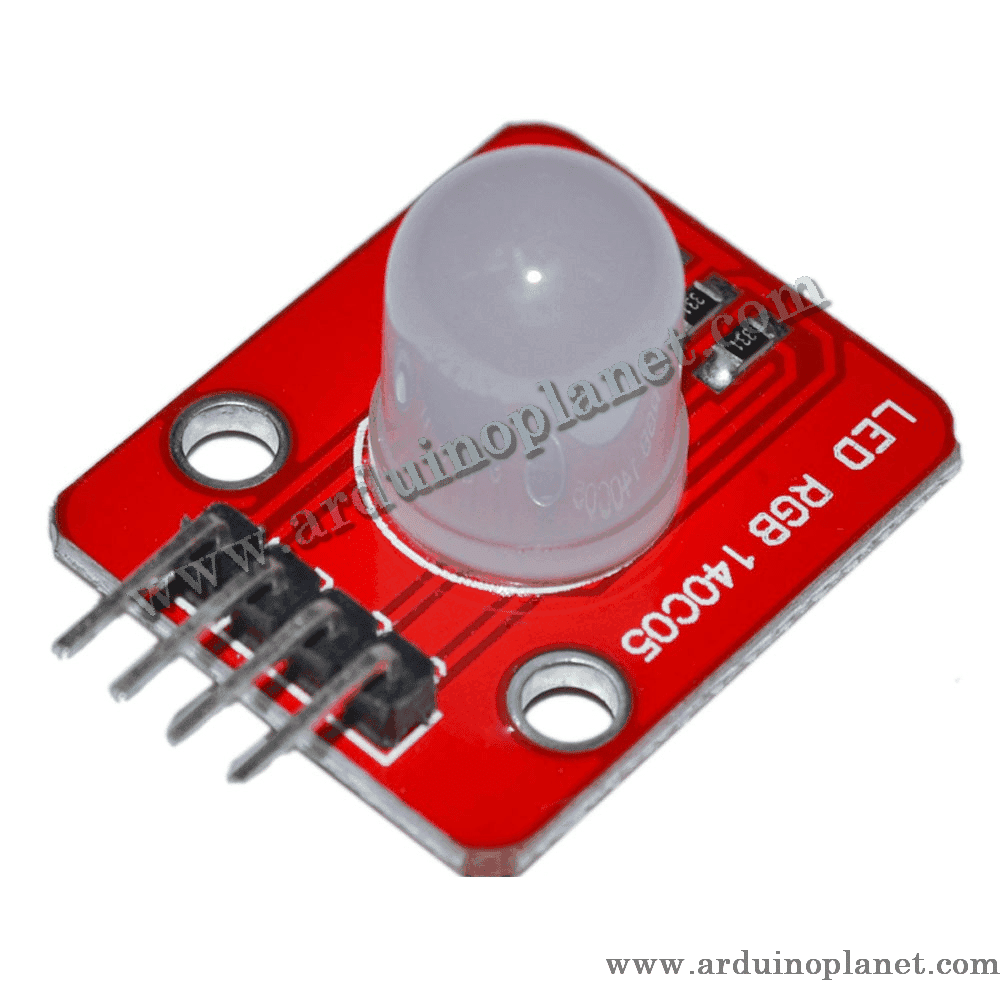
Description
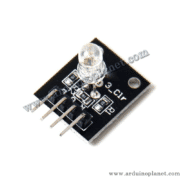
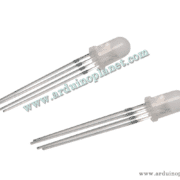
10mm RGB LED Module
This module combines red, green and blue LED elements in a 10 mm RGB package. The source listing describes a common-anode arrangement, with the common connection at the positive supply and individual control of the R, G and B channels.
🔧 Source-listing specifications
- Supply voltage: 5 V DC (listing)
- Maximum current: 0.6 A (listing—verify; see rating note)
- Maximum power: 0.3 W (listing)
- Operating temperature: −25 °C to +65 °C
- Connector pitch: 2.54 mm
- Mounting-hole diameter: 3 mm
- Board dimensions: 30 × 20 mm
- Environmental compliance: RoHS (listing)
⚠️ Check the board before connecting
The source listing gives both 0.6 A maximum current and 0.3 W maximum power, figures that do not reconcile as a general 5 V operating point. It also describes a four-pin connector while listing VCC, R, G, B and GND (five signal names). Verify the exact supplied module, its printed pin labels, whether current-limiting resistors are already fitted, and the per-channel current rating. Do not assume 0.6 A is safe for an Arduino pin or for the LED.
⚙️ Common-anode operation
For a common-anode LED, the shared anode connects to the positive supply and each color channel is controlled by sinking current. If using an Arduino, use a suitable current-limiting resistor on each channel unless the module already includes one, and keep each GPIO within its rated current. PWM levels are inverted for common-anode control: a lower output duty value generally means a brighter channel. The source code below is preserved as supplied; verify that its polarity and pin mapping match your hardware.
💡 Applications
- DIY electronics projects
- Decorative lighting effects
- Status indicators
- Custom-color displays and prototypes
📌 Listed pin names
- VCC: common positive supply (listing says +5 V)
- R: red-channel control
- G: green-channel control
- B: blue-channel control
- GND: also listed by the source; confirm whether this is a separate board ground or an alternative common connection
🔌 Basic Arduino Uno example
The original code is retained below. Its comments identify the colors; the common-anode polarity and wiring should be checked against the actual board.
int redPin = 11; // broche pour la LED rouge
int greenPin = 9; // broche pour la LED verte
int bluePin = 10; // broche pour la LED bleue


void setup() {
  pinMode(redPin, OUTPUT);
  pinMode(greenPin, OUTPUT);
  pinMode(bluePin, OUTPUT);
}


void loop() {
  setColor(0, 255, 255); // rouge
  delay(1000);
  setColor(255, 0, 255); // vert
  delay(1000);
  setColor(255, 255, 0); // bleu
  delay(1000);
  setColor(120, 10, 10); // blanc
  delay(1000);
}


void setColor(int redValue, int greenValue, int blueValue) {
  analogWrite(redPin, redValue);
  analogWrite(greenPin, greenValue);
  analogWrite(bluePin, blueValue);
}
🌈 Advanced example: cycle through RGB colors
The original 24-bit color-loop example is retained below. At 100 ms per step, the theoretical delay alone for 16,777,216 combinations is about 19.4 days; loop overhead makes the actual time longer.
const int RED_PIN = 11;   // Broche pour la LED rouge
const int GREEN_PIN = 9;  // Broche pour la LED verte
const int BLUE_PIN = 10;  // Broche pour la LED bleue


void setup() {
  // Configurer les broches comme sorties
  pinMode(RED_PIN, OUTPUT);
  pinMode(GREEN_PIN, OUTPUT);
  pinMode(BLUE_PIN, OUTPUT);
}


void loop() {
  // Parcourir toutes les combinaisons de couleurs possibles
  for (int i = 0; i < 16777216; i++) { // 2^24 combinaisons de couleurs possibles
    int r = (i >> 16) & 0xFF;  // Extraire la valeur rouge
    int g = (i >> 8) & 0xFF;   // Extraire la valeur verte
    int b = i & 0xFF;          // Extraire la valeur bleue
    setColor(r, g, b);         // Définir la couleur
    delay(100);                // Attendre 0,1 seconde
  }
}


// Fonction pour définir la couleur
void setColor(int redValue, int greenValue, int blueValue) {
  analogWrite(RED_PIN, redValue);   // Ajuster l'intensité de la LED rouge
  analogWrite(GREEN_PIN, greenValue); // Ajuster l'intensité de la LED verte
  analogWrite(BLUE_PIN, blueValue);  // Ajuster l'intensité de la LED bleue
}
🧪 Reduced-color example: 4 bits per channel
The original reduced-color code is retained below. It samples 16 levels for each channel (4,096 combinations total) and is much quicker to demonstrate.
const int RED_PIN = 11;   // Broche pour la LED rouge
const int GREEN_PIN = 9;  // Broche pour la LED verte
const int BLUE_PIN = 10;  // Broche pour la LED bleue


void setup() {
  // Configurer les broches comme sorties
  pinMode(RED_PIN, OUTPUT);
  pinMode(GREEN_PIN, OUTPUT);
  pinMode(BLUE_PIN, OUTPUT);
}


void loop() {
  // Parcourir toutes les combinaisons de couleurs possibles avec 4 bits par couleur
  for (int r = 0; r < 16; r++) { // 2^4 valeurs possibles pour le rouge
    for (int g = 0; g < 16; g++) { // 2^4 valeurs possibles pour le vert
      for (int b = 0; b < 16; b++) { // 2^4 valeurs possibles pour le bleu
        setColor(r * 17, g * 17, b * 17); // Multiplier par 17 pour étendre les valeurs de 0 à 255
        delay(100); // Attendre 0,1 seconde
      }
    }
  }
}


// Fonction pour définir la couleur
void setColor(int redValue, int greenValue, int blueValue) {
  analogWrite(RED_PIN, redValue);   // Ajuster l'intensité de la LED rouge
  analogWrite(GREEN_PIN, greenValue); // Ajuster l'intensité de la LED verte
  analogWrite(BLUE_PIN, blueValue);  // Ajuster l'intensité de la LED bleue
}
Components and wiring
- Arduino Uno
- 10 mm RGB LED module
- Current-limiting resistors for R, G and B if they are not built into the module
- Connecting wires
- Connect the common anode and channel pins only according to the verified module pinout
Check whether the LED is common-anode or common-cathode before selecting the output logic. Do not connect the RGB channels directly to GPIO pins without confirming the current-limiting circuit. The first source example labels one setting “white”; confirm the resulting color with the actual channel polarity and values before relying on that comment.