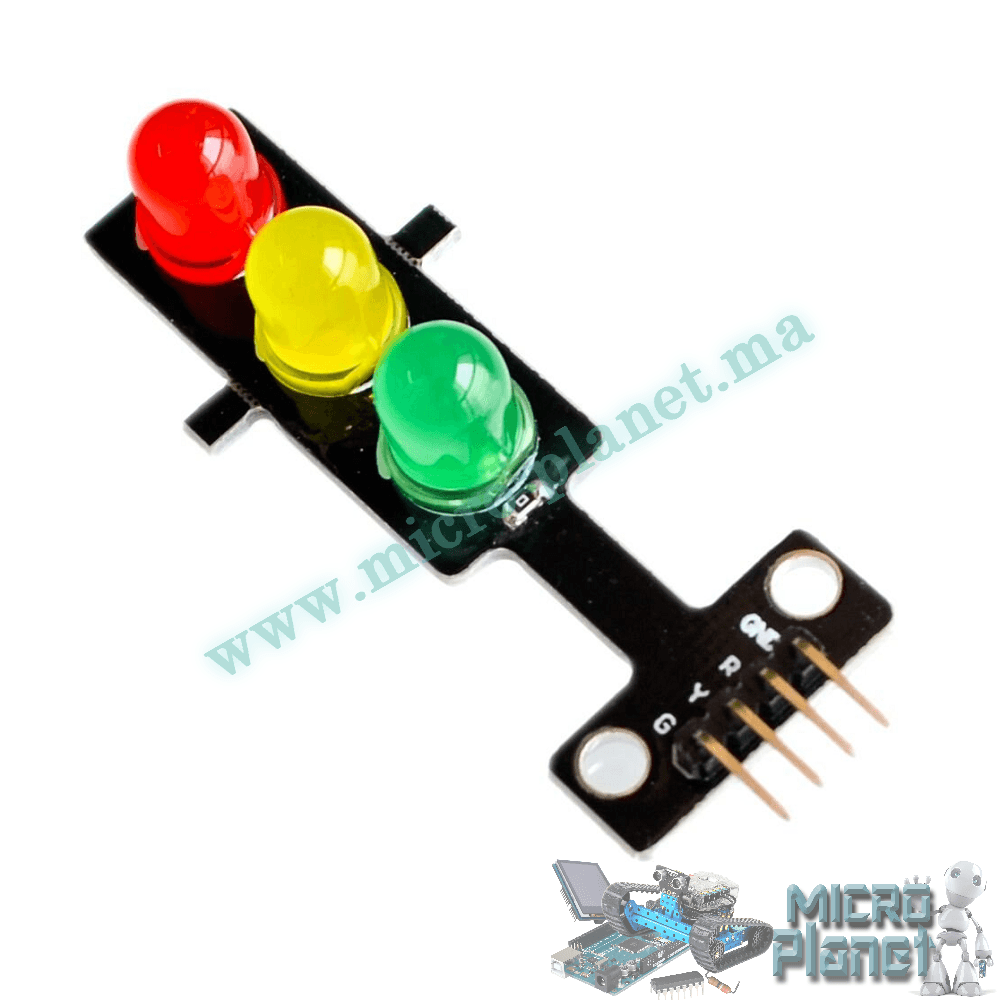
Description
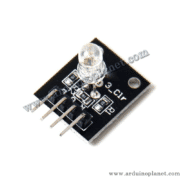
Three-Color Traffic Light LED Module
This module simulates a road traffic signal using red, yellow and green LEDs. It is suitable for traffic-light models, train layouts, programming demonstrations and control-logic projects.
Specifications listed
- Operating voltage: 5V DC
- LEDs: red, yellow and green, each 8 mm diameter
- Operating current listed: red 13mA, yellow 13mA, green 25mA
- Interface: four pins — GND, R, Y and G
- Dimensions: 56 × 21 × 11 mm
- Current-limiting resistors: built in
- Compatibility stated: 3.3V and 5V systems
- Control: active HIGH (an LED turns on with a HIGH signal), as listed
- Mounting: breadboard or jumper wires
Pinout
- G: green LED, active HIGH
- Y: yellow LED, active HIGH
- R: red LED, active HIGH
- GND: ground
Connect the module to compatible digital outputs and a common ground. The listing specifies 5V operation and states compatibility with 3.3V and 5V systems; verify your exact board and module before use.
Basic Arduino example
This source example lights green for 5 seconds, yellow for 2 seconds, and red for 5 seconds, then repeats. Wire R to pin 11, Y to pin 12 and G to pin 13 on the Arduino Uno.
const int RED_PIN = 11;   // Broche pour la LED rouge
const int YELLOW_PIN = 12;  // Broche pour la LED jaune
const int GREEN_PIN = 13;  // Broche pour la LED verte


void setup() {
  pinMode(RED_PIN, OUTPUT);
  pinMode(YELLOW_PIN, OUTPUT);
  pinMode(GREEN_PIN, OUTPUT);
}


void loop() {
  digitalWrite(GREEN_PIN, HIGH);   // Allumer le vert
  delay(5000);                     // Attendre 5 secondes
  digitalWrite(GREEN_PIN, LOW);    // Éteindre le vert
  digitalWrite(YELLOW_PIN, HIGH);  // Allumer le jaune
  delay(2000);                     // Attendre 2 secondes
  digitalWrite(YELLOW_PIN, LOW);   // Éteindre le jaune
  digitalWrite(RED_PIN, HIGH);     // Allumer le rouge
  delay(5000);                     // Attendre 5 secondes
  digitalWrite(RED_PIN, LOW);      // Éteindre le rouge
}
Advanced Arduino example
The second source example uses a setLights() function to set the three signal states. Its sequence is red for 5 seconds, green for 5 seconds, and yellow for 2 seconds, then repeats.
const int RED_PIN = 11;    // Broche pour la LED rouge
const int YELLOW_PIN = 12; // Broche pour la LED jaune
const int GREEN_PIN = 13;  // Broche pour la LED verte


void setup() {
  pinMode(RED_PIN, OUTPUT);
  pinMode(YELLOW_PIN, OUTPUT);
  pinMode(GREEN_PIN, OUTPUT);
}


void loop() {
  // Séquence de feux
  setLights(HIGH, LOW, LOW);   // Rouge
  delay(5000);                 // Attendre 5 secondes
  setLights(LOW, LOW, HIGH);   // Vert
  delay(5000);                 // Attendre 5 secondes
  setLights(LOW, HIGH, LOW);   // Jaune
  delay(2000);                 // Attendre 2 secondes
}


void setLights(int redState, int yellowState, int greenState) {
  digitalWrite(RED_PIN, redState);
  digitalWrite(YELLOW_PIN, yellowState);
  digitalWrite(GREEN_PIN, greenState);
}
Parts and setup
For either example, the source lists an Arduino Uno, this traffic-light module and jumper wires. Connect Vcc to the Arduino 5V pin and GND to Arduino GND; connect R, Y and G to digital pins 11, 12 and 13, respectively.
Code notes
The pin constants identify the LED connections, and pinMode(…, OUTPUT) configures them as outputs. The basic example switches each output with digitalWrite() and waits using delay(). The advanced example passes the three states to setLights(), which writes each state to its corresponding LED pin.
This is a demonstration sequence, not a road-safety traffic controller.