Description
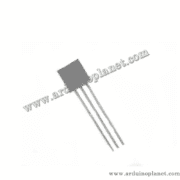
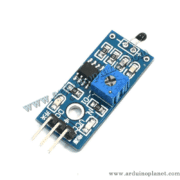
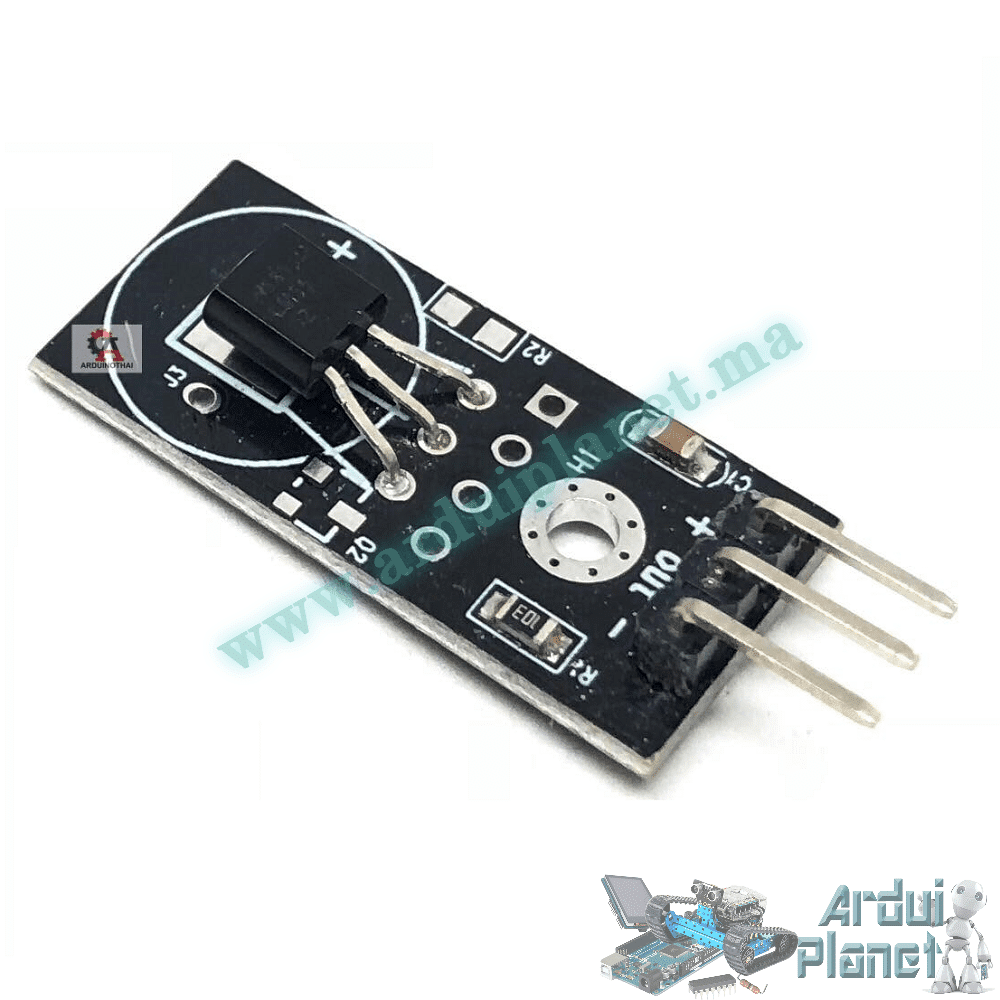
LM35 Temperature Sensor Module
Analog temperature sensor module based on the LM35. Its output voltage varies with temperature, allowing a microcontroller with an analog input to estimate temperature in Celsius.
Specifications stated in the listing
- Listed measurement range: 0°C to 100°C
- Listed accuracy: ±0.5°C at 25°C
- Output scale: 10mV/°C
- Listed self-heating: less than 0.1°C in still air
- Current consumption: less than 60µA
- Listed operating supply: 4V to 30V
- Typical listed nonlinearity: ±0.25°C
- Output impedance: 0.1Ω at a 1mA load
These figures describe the LM35 or the seller listing; confirm the exact board and its supply requirements on arrival. The three pins are Vcc (supply), Vout (analog output) and GND. The source suggests 5V for an Arduino Uno. Connect Vout to an analog input and share ground. Do not connect the sensor output to a digital-only input.
Basic Arduino example
This source example reads A0 and converts the ADC reading using a 5V reference and a 10-bit, 1024-step scale. Adjust the calculation if your board uses a different ADC resolution or reference voltage.
const int sensorPin = A0; // Broche où le LM35 est connecté
float temperature;

void setup() {
Serial.begin(9600);
}

void loop() {
int sensorValue = analogRead(sensorPin);
temperature = sensorValue * (5.0 / 1024.0) * 100.0;
Serial.print("Temperature: ");
Serial.print(temperature);
Serial.println(" C");
delay(1000);
}
#include <Wire.h>
#include <LiquidCrystal_I2C.h>
const int sensorPin = A0; // Broche où le LM35 est connecté
float temperature;
LiquidCrystal_I2C lcd(0x27, 16, 2);
void setup() {
lcd.begin();
lcd.backlight();
Serial.begin(9600);
}
void loop() {
int sensorValue = analogRead(sensorPin);
temperature = sensorValue * (5.0 / 1024.0) * 100.0;
lcd.setCursor(0, 0);
lcd.print("Temp: ");
lcd.print(temperature);
lcd.print(" C");
delay(1000);
}Example with an I²C LCD
The second source example also displays the reading on a 16×2 I²C LCD and uses the LiquidCrystal_I2C library. The example assumes the display address 0x27 and the library API shown; these may vary by display or library version.
const int sensorPin = A0; // Broche où le LM35 est connecté
float temperature;

void setup() {
Serial.begin(9600);
}

void loop() {
int sensorValue = analogRead(sensorPin);
temperature = sensorValue * (5.0 / 1024.0) * 100.0;
Serial.print("Temperature: ");
Serial.print(temperature);
Serial.println(" C");
delay(1000);
}
#include <Wire.h>
#include <LiquidCrystal_I2C.h>
const int sensorPin = A0; // Broche où le LM35 est connecté
float temperature;
LiquidCrystal_I2C lcd(0x27, 16, 2);
void setup() {
lcd.begin();
lcd.backlight();
Serial.begin(9600);
}
void loop() {
int sensorValue = analogRead(sensorPin);
temperature = sensorValue * (5.0 / 1024.0) * 100.0;
lcd.setCursor(0, 0);
lcd.print("Temp: ");
lcd.print(temperature);
lcd.print(" C");
delay(1000);
}For both examples, verify wiring and calibration against your board. The optional 10kΩ resistor mentioned in the source is not required by every LM35 module.
Arduino Uno connections
- LM35 Vcc: 5V
- LM35 Vout: A0
- LM35 GND: GND
- For the LCD example: connect LCD VCC and GND to the matching supply and ground; connect SDA to A4 and SCL to A5 on the Uno.
Library for the LCD example
Install a compatible LiquidCrystal_I2C library through the Arduino IDE Library Manager. Check its initialization methods and the display I²C address, since they can differ between library versions and modules.