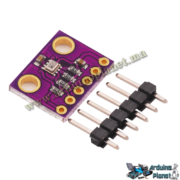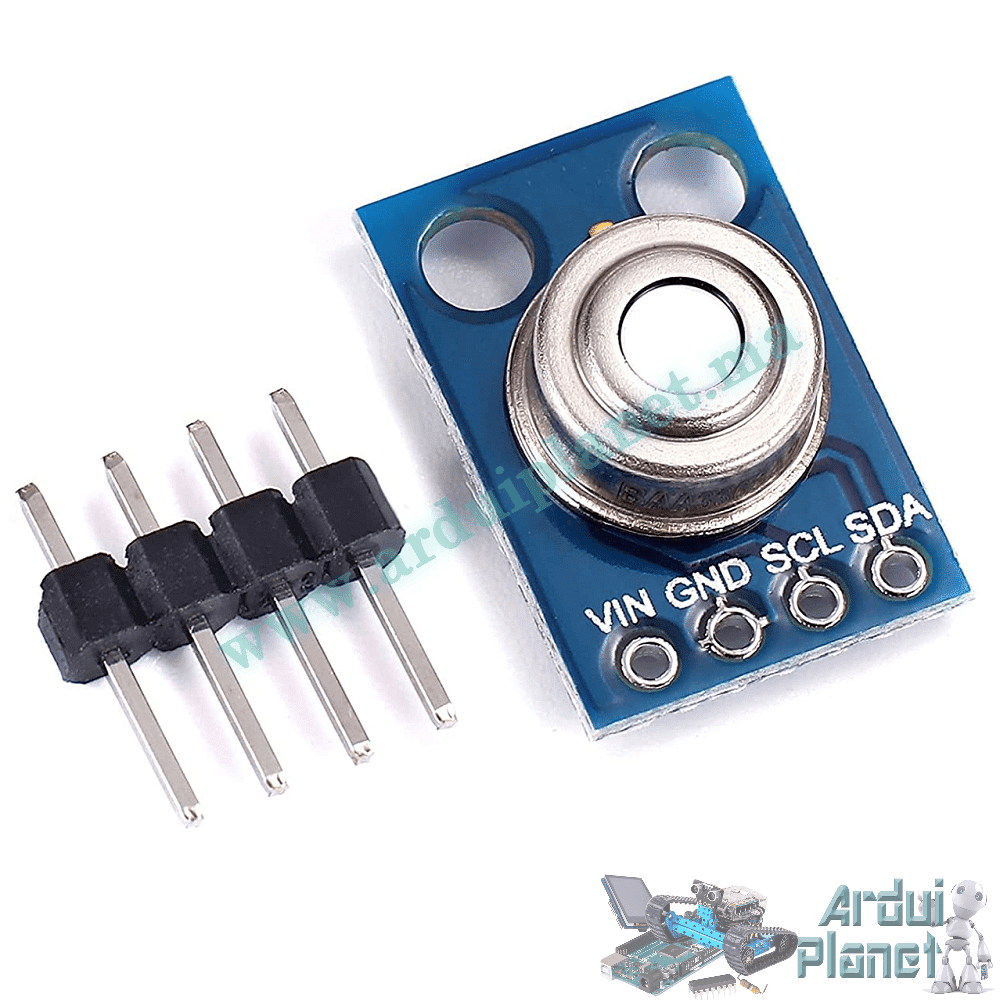
Description
MLX90614 GY-906 Infrared Temperature Sensor Module
The GY-906 module uses the MLX90614 infrared thermometer to measure an object’s temperature without contact and communicate readings over I2C. Melexis specifies an object-temperature range of −70 to +380 °C and sensor ambient range of −40 to +125 °C. Accuracy depends on temperature range, sensor variant, target filling the field of view and measurement conditions.
Specifications stated by the source
- Object-temperature range: −70 to +380 °C.
- Ambient sensor-temperature range: −40 to +125 °C.
- Accuracy claim: ±0.5 °C around 0–50 °C; this is conditional and not valid across the full range or every sensor variant.
- Resolution: 0.02 °C (reported digital step, not the same as accuracy).
- Field of view: 35°.
- Module supply: 3.3–5 V as listed; check the exact GY-906 board and logic levels.
- Current: 1.5 mA as listed; interface: I2C; PCB dimensions: 17 × 11 mm.
The sensor estimates temperature from infrared energy emitted by a surface. Readings depend on emissivity, distance, target size and alignment. The source lists medical thermometers as an application, but this module is not a certified medical thermometer and must not be used for diagnosis or treatment.
Pinout
- VCC: board supply (verify board rating).
- GND: ground.
- SDA: I2C data.
- SCL: I2C clock.
Basic Arduino Uno example
This source example reads object and ambient temperatures and prints them to the serial monitor.
#include <Wire.h>
#include <Adafruit_MLX90614.h>


Adafruit_MLX90614 mlx = Adafruit_MLX90614();


void setup() {
  Serial.begin(9600);
  mlx.begin();
}


void loop() {
  Serial.print("Température de l'objet = ");
  Serial.print(mlx.readObjectTempC());
  Serial.println(" *C");

  Serial.print("Température ambiante = ");
  Serial.print(mlx.readAmbientTempC());
  Serial.println(" *C");


  delay(500);
}
Components: Arduino Uno, GY-906 module and jumper wires. On Uno, connect VCC to a supported supply, GND to GND, SCL to A5 and SDA to A4.
Arduino example with I2C LCD
This source example displays object and ambient readings on a 16×2 I2C LCD.
#include <Wire.h>
#include <Adafruit_MLX90614.h>
#include <LiquidCrystal_I2C.h>


Adafruit_MLX90614 mlx = Adafruit_MLX90614();
LiquidCrystal_I2C lcd(0x27, 16, 2);


void setup() {
  Serial.begin(9600);
  mlx.begin();
  lcd.begin();
  lcd.backlight();
}


void loop() {
  lcd.setCursor(0, 0);
  lcd.print("Obj: ");
  lcd.print(mlx.readObjectTempC());
  lcd.print(" C");


  lcd.setCursor(0, 1);
  lcd.print("Amb: ");
  lcd.print(mlx.readAmbientTempC());
  lcd.print(" C");


  delay(500);
}
Components: Arduino Uno, GY-906 module, I2C 1602 LCD and wires. Both I2C devices share SDA (A4) and SCL (A5); connect their grounds and use compatible supply/logic levels.
Libraries
The source names Adafruit MLX90614, Adafruit GFX and Adafruit SSD1306 libraries. However, its advanced code uses LiquidCrystal_I2C with a 1602 LCD, so install a compatible LiquidCrystal_I2C library for that example. The examples are supplied by the listing; check compatibility with the installed library versions.
GY-906 datasheet supplied with the listing
MLX90614 datasheet supplied with the listing
Melexis MLX90614 product information