Description
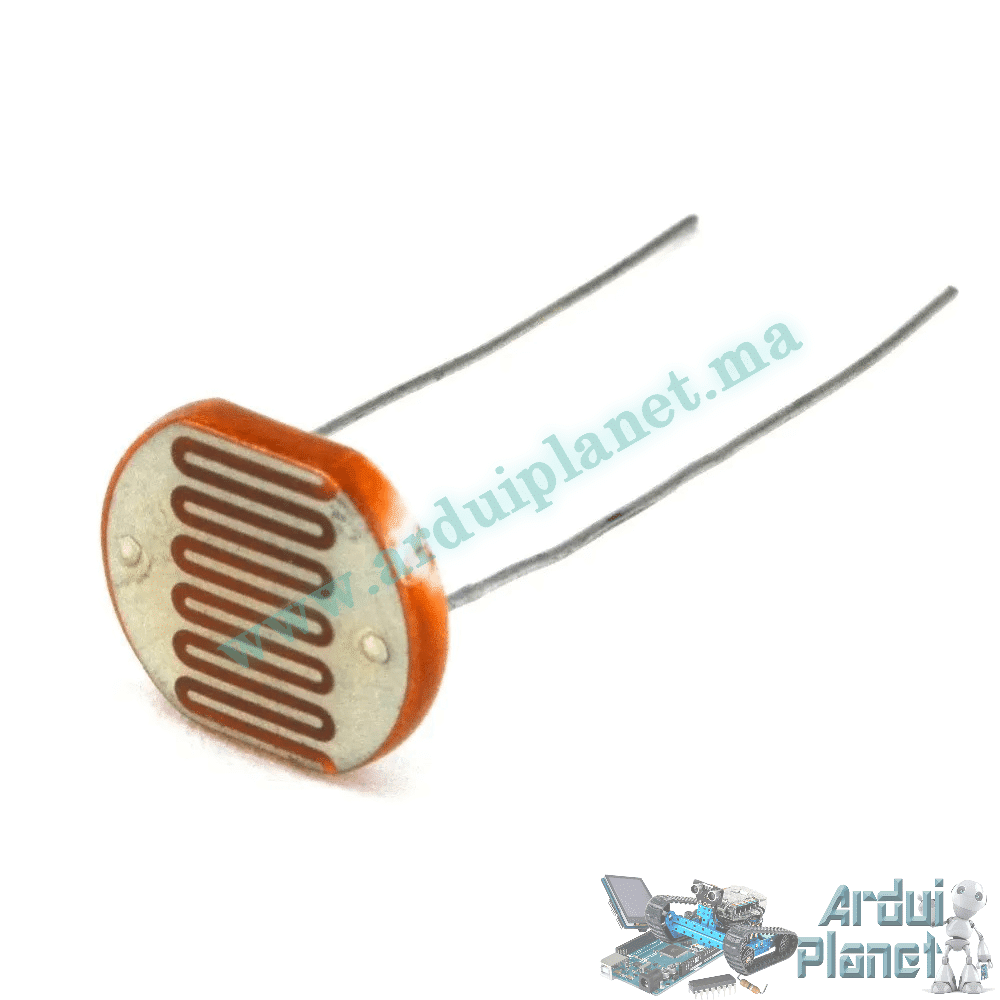
10 mm LDR Photoresistor Light Sensor (GL10528)
This 10 mm GL10528 light-dependent resistor (LDR) changes resistance in response to ambient light. Its resistance decreases as illumination increases.
Specifications
- Model: GL10528
- Size: 10 mm
- Resistance at 10 lux: 30–50 kΩ
- Dark resistance: up to 1 MΩ
- Maximum voltage: 200 V DC (listing specification; not a recommended circuit voltage)
- Maximum power: 200 mW
- Operating temperature: −30 to +70 °C
- Peak wavelength: 600 nm
- Response time: 20 ms rise, 30 ms fall
- Material: cadmium sulfide (CdS)
Resistance values can vary with the individual part and environmental conditions. Do not apply the listed maximum voltage directly in a typical Arduino circuit.
How it works
The LDR works by photoconductivity: its resistance falls as light intensity rises. In darkness, resistance can reach several megohms; under illumination it can fall to a few hundred ohms. A voltage-divider circuit converts this resistance change into a varying voltage that a microcontroller can read.
Applications listed
- Automatic lighting
- Security alarms
- Camera exposure control
- Light-based alarm systems
- Solar street lights
- Photoelectric proximity detectors
- Greenhouse automation
Leads and basic Arduino Uno circuit
The LDR has two non-polarized leads. In the example divider, connect one LDR lead to Arduino 5 V and the other to the junction of a 10 kΩ resistor and analog input A0; connect the resistor’s other end to GND. Keep the circuit within the Arduino’s permitted input-voltage range.
Basic Arduino code
const int ldrPin = A0; // Broche analogique pour la photorésistance

void setup() {
Serial.begin(9600); // Initialiser la communication série
}

void loop() {
int ldrValue = analogRead(ldrPin); // Lire la valeur analogique de la photorésistance
Serial.print("LDR value: ");
Serial.println(ldrValue); // Afficher la valeur lue sur le moniteur série
delay(500); // Attendre 500 ms avant de refaire une lecture
}
What the basic code does
It reads the LDR divider voltage on A0 and prints the analog reading to the Serial Monitor, so changes in illumination can be observed.
Parts for the basic example
- Arduino Uno
- 10 mm LDR (GL10528)
- 10 kΩ resistor
- Jumper wires
Basic code walkthrough
- Pin definition: assigns the LDR input to A0.
- Serial setup: starts serial communication at 9600 baud.
- Reading: reads the analog input and prints its value.
- Delay: waits 500 ms before the next reading.
Basic circuit connections
- One LDR lead: Arduino 5 V
- Other LDR lead: divider junction, also connected to A0 and one end of the 10 kΩ resistor
- Other resistor end: GND
Advanced Arduino example: I2C LCD output
#include <Wire.h>
#include <LiquidCrystal_I2C.h>

const int ldrPin = A0; // Broche analogique pour la photorésistance
LiquidCrystal_I2C lcd(0x27, 16, 2); // Adresse I2C 0x27, écran 16x2

void setup() {
lcd.begin(); // Initialiser l'écran LCD
lcd.backlight(); // Allumer le rétroéclairage de l'écran LCD
Serial.begin(9600); // Initialiser la communication série
}

void loop() {
int ldrValue = analogRead(ldrPin); // Lire la valeur analogique de la photorésistance

lcd.setCursor(0, 0);
lcd.print("Luminosite: ");
lcd.print(ldrValue); // Afficher la valeur de luminosité sur l'écran LCD

Serial.print("LDR value: ");
Serial.println(ldrValue); // Afficher la valeur lue sur le moniteur série

delay(500); // Attendre 500 ms avant de refaire une lecture
}
What the advanced code does
It reads the LDR divider on A0 and displays the reading on a 16×2 I2C LCD and in the Serial Monitor.
Parts for the advanced example
- Arduino Uno
- 10 mm LDR (GL10528)
- 10 kΩ resistor
- 1602 I2C LCD
- Jumper wires
Advanced code walkthrough
- Includes the
Wire.handLiquidCrystal_I2C.hlibraries for I2C communication. - Assigns the LDR input to A0.
- Initializes the LCD and backlight, then starts serial communication at 9600 baud.
- Reads the analog value from A0.
- Displays the reading on the LCD’s first row and in the Serial Monitor.
Advanced circuit connections
- Wire the LDR and 10 kΩ resistor as the voltage divider above; connect its junction to A0.
- LCD SDA: Arduino A4
- LCD SCL: Arduino A5
Arduino library setup
For the LCD example, install the LiquidCrystal_I2C library through the Arduino IDE Library Manager. Wire is included with the Arduino platform; it normally does not need separate installation.