Description
CTP9 USB-C PD/QC Trigger Module – 12 V Output
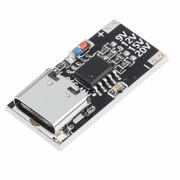
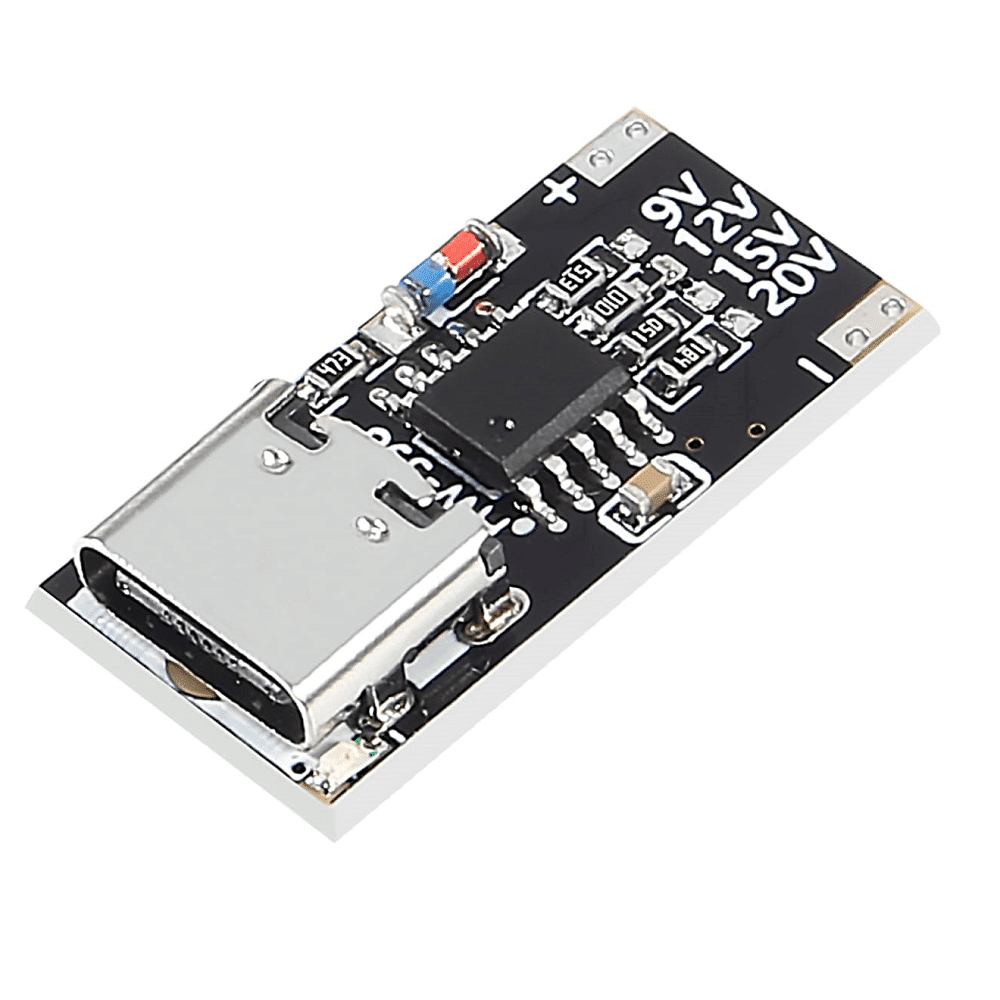
This USB-C PD trigger module, also called a PD decoy, requests a continuous 12 V output from a compatible fast charger or power bank.
The module communicates with the USB-C power source to request the 12 V profile, then makes that voltage available at its two solder output pads marked + and −. It is a compact option for powering routers, LED strips, fans and other 12 V equipment from a compatible USB-C supply.
Technical specifications
- Model: CTP9
- Type: USB-C PD/QC trigger module
- Input connector: USB Type-C
- Requested output: 12 V DC
- Output polarity clearly marked + and −
- Output through two plated through-hole solder pads
- Board-selectable voltages: 9, 12, 15 or 20 V
- Configuration by solder bridge
- Default configuration for this version: 12 V
- Advertised protocols: PD 2.0, PD 3.0, QC 2.0, QC 3.0 and AFC
- Advertised maximum current: up to 5 A
- Approximate dimensions: 23.5 × 12 × 4.5 mm
- Compact format for enclosure integration
Important operating information
This module is not a boost or buck converter. It does not automatically convert a 5 V USB supply to 12 V; it only requests a 12 V profile from a compatible power source.
The output therefore depends on three things:
- The charger must support a compatible 12 V output profile.
- The USB-C cable must support the requested power.
- Available current depends on the charger, cable and load.
Some USB-C PD chargers do not offer a 12 V profile. In that case, the module may remain at 5 V or may not provide the expected voltage. Always measure the output with a multimeter before connecting your device.
Applications
- Powering 12 V routers and modems
- LED strips and modules
- 12 V fans
- Small displays and electronic devices
- Portable projects powered by a USB-C power bank
- Test benches
- Adapting older devices to USB-C power
- Electronics and home-automation projects
- Custom compact power supplies
How to use
1. Check the configuration
The solder bridge must connect the pad corresponding to 12 V. Select only one voltage at a time.
Never connect multiple selections such as 9 V, 12 V, 15 V or 20 V simultaneously.
2. Solder the output
| Module pad | Connection |
|---|---|
| + | Device positive |
| − | Ground or negative |
Use wires suitable for the current drawn by your device and protect the solder joints against short circuits.
3. Connect the power source
- Check that the charger supports a 12 V profile.
- Use a USB-C cable suitable for fast charging.
- Connect the cable to the module.
- Measure the voltage across the + and − outputs.
- Connect the load only after confirming an output close to 12 V.
- During the first test, monitor the temperature of the module, cable and connections.
Changing the voltage
The circuit has selections for 9 V, 12 V, 15 V and 20 V. To change the output:
- Disconnect the charger and load completely.
- Remove the existing solder bridge.
- Connect only the pads for the new voltage.
- Check that the charger supports that voltage.
- Measure the output with a multimeter before connecting a device.
This modification is intended for people experienced with electronics soldering.
Precautions
- Check the output voltage before each first use.
- Observe the + and − polarity carefully.
- Never connect 12 V directly to a 5 V or 3.3 V input.
- To power an Arduino, ESP32 or Raspberry Pi, use a suitable input or a buck converter.
- The actual available current may be lower than the advertised 5 A; it is limited by the charger, its 12 V profile, cable and wiring.
- Use a suitable fuse in a permanent installation.
- Insulate the underside of the circuit to prevent short circuits.
- Do not use the module in a humid environment without an enclosure.
- Do not change the selection bridges while the module is powered.
- This module does not directly charge a battery and has no charging-management circuit.