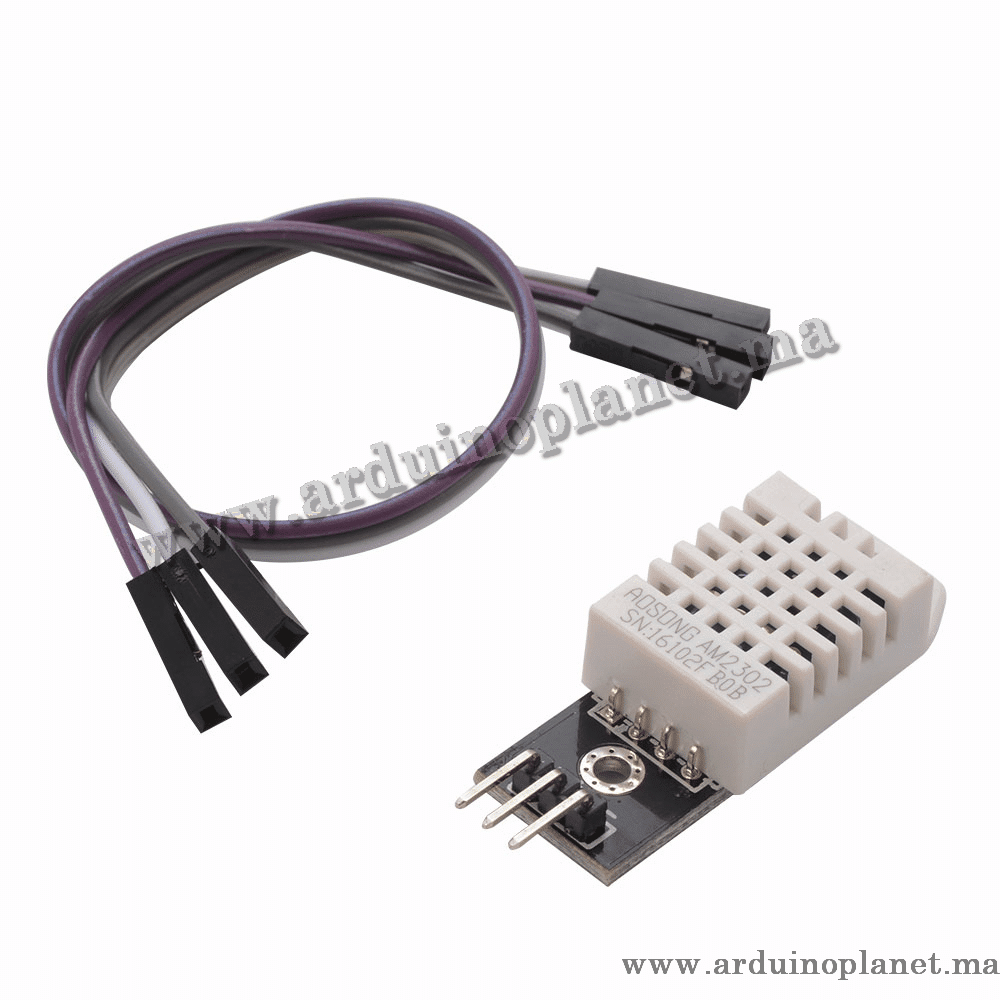
Description
DHT22 Temperature and Humidity Sensor Module
The DHT22 is a digital temperature and humidity sensor. The source describes it as offering improved accuracy over the DHT11. It uses a capacitive humidity sensor and a thermistor for temperature, and sends readings over a single-wire digital interface.
Specifications (as listed)
- Temperature range: −40°C to 80°C
- Temperature accuracy: ±0.5°C
- Humidity range: 0% to 100% RH
- Humidity accuracy: ±2% RH
- Operating voltage: 3.5–5.5 V
- Operating current: up to 2.5 mA during conversion
- Digital single-wire output
- Sampling rate: 0.5 Hz (one reading every two seconds)
How it works
An onboard microcontroller converts the sensor readings to digital data that a controller such as Arduino can read.
Applications
- Local weather stations
- Automatic climate-control systems
- Environmental monitoring
- Educational and hobby projects
Pinout
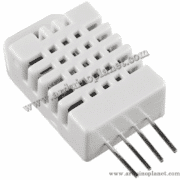
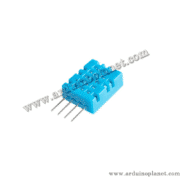
The DHT22 is available as a four-pin bare sensor or a three-pin module. Pin arrangements differ between the versions.
Bare DHT22 sensor (4 pins):
- VCC: supply, 3.5–5.5 V
- Data: digital data output
- NC: not connected
- GND: ground
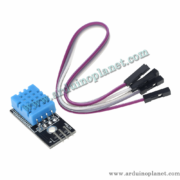
DHT22 module (3 pins):
- VCC: supply, 3.5–5.5 V
- Data: digital data
- GND: ground
Using it with Arduino Uno
Basic example: required components
- Arduino Uno
- DHT22 temperature and humidity sensor
- 10 kΩ resistor (for the bare sensor only)
- Jumper wires
Basic Arduino code example
#include "DHT.h"


#define DHTPIN 2     // Broche à laquelle le capteur est connecté
#define DHTTYPE DHT22   // Définir le type de capteur


DHT dht(DHTPIN, DHTTYPE);


void setup() {
  Serial.begin(9600);
  dht.begin();
}


void loop() {
  float h = dht.readHumidity();
  float t = dht.readTemperature();

  if (isnan(h) || isnan(t)) {
    Serial.println("Échec de lecture !");
    return;
  }

  Serial.print("Humidité: ");
  Serial.print(h);
  Serial.print(" %\t");
  Serial.print("Température: ");
  Serial.print(t);
  Serial.println(" *C");

  delay(2000);
}
Explanation of the basic example
- Include the library:
#include "DHT.h"adds the DHT library. - Set the pin and sensor type:
DHTPIN 2andDHTTYPE DHT22identify the data pin and sensor. - Initialize:
dht.begin()starts the sensor library. - Read values:
dht.readHumidity()anddht.readTemperature()read humidity and temperature. - Display readings: values are sent to the serial monitor.
Basic wiring
- DHT22 VCC: Arduino 5V
- DHT22 Data: Arduino pin 2, with a 10 kΩ pull-up resistor for the bare sensor
- DHT22 GND: Arduino GND
Advanced Arduino code example
#include "DHT.h"
#include <Wire.h>
#include <LiquidCrystal_I2C.h>


#define DHTPIN 2     // Broche à laquelle le capteur est connecté
#define DHTTYPE DHT22   // Définir le type de capteur


DHT dht(DHTPIN, DHTTYPE);
LiquidCrystal_I2C lcd(0x27, 16, 2);


void setup() {
  lcd.begin();
  lcd.backlight();
  Serial.begin(9600);
  dht.begin();
}


void loop() {
  float h = dht.readHumidity();
  float t = dht.readTemperature();

  if (isnan(h) || isnan(t)) {
    lcd.setCursor(0, 0);
    lcd.print("Échec de lecture!");
    Serial.println("Échec de lecture !");
    return;
  }

  lcd.setCursor(0, 0);
  lcd.print("Hum: ");
  lcd.print(h);
  lcd.print(" %");


  lcd.setCursor(0, 1);
  lcd.print("Temp: ");
  lcd.print(t);
  lcd.print(" C");


  Serial.print("Humidité: ");
  Serial.print(h);
  Serial.print(" %\t");
  Serial.print("Température: ");
  Serial.print(t);
  Serial.println(" *C");

  delay(2000);
}
Components for the advanced example
- Arduino Uno
- DHT22 temperature and humidity sensor
- 1602 I2C LCD
- 10 kΩ resistor (for the bare sensor only)
- Jumper wires
Explanation of the advanced example
- Include libraries:
DHT.h,Wire.handLiquidCrystal_I2C.hprovide the sensor and LCD support. - Set the pin and sensor type:
DHTPIN 2andDHTTYPE DHT22select the sensor connection. - Initialize:
dht.begin()starts the sensor andlcd.begin()initializes the display. - Read values: the DHT library reads humidity and temperature.
- Display readings: values are shown on the LCD and serial monitor.
Advanced wiring
- DHT22 VCC: Arduino 5V
- DHT22 Data: Arduino pin 2, with a 10 kΩ pull-up resistor for the bare sensor
- DHT22 GND: Arduino GND
- LCD VCC: Arduino 5V
- LCD GND: Arduino GND
- LCD SDA: Arduino A4
- LCD SCL: Arduino A5
Installing libraries
Install the DHT and LiquidCrystal_I2C libraries in the Arduino IDE:
- Open the Arduino IDE.
- Open the Library Manager from Sketch → Include Library → Manage Libraries.
- Search for “DHT” and install Adafruit’s “DHT sensor library”.
- Search for “LiquidCrystal_I2C” and install a compatible library.