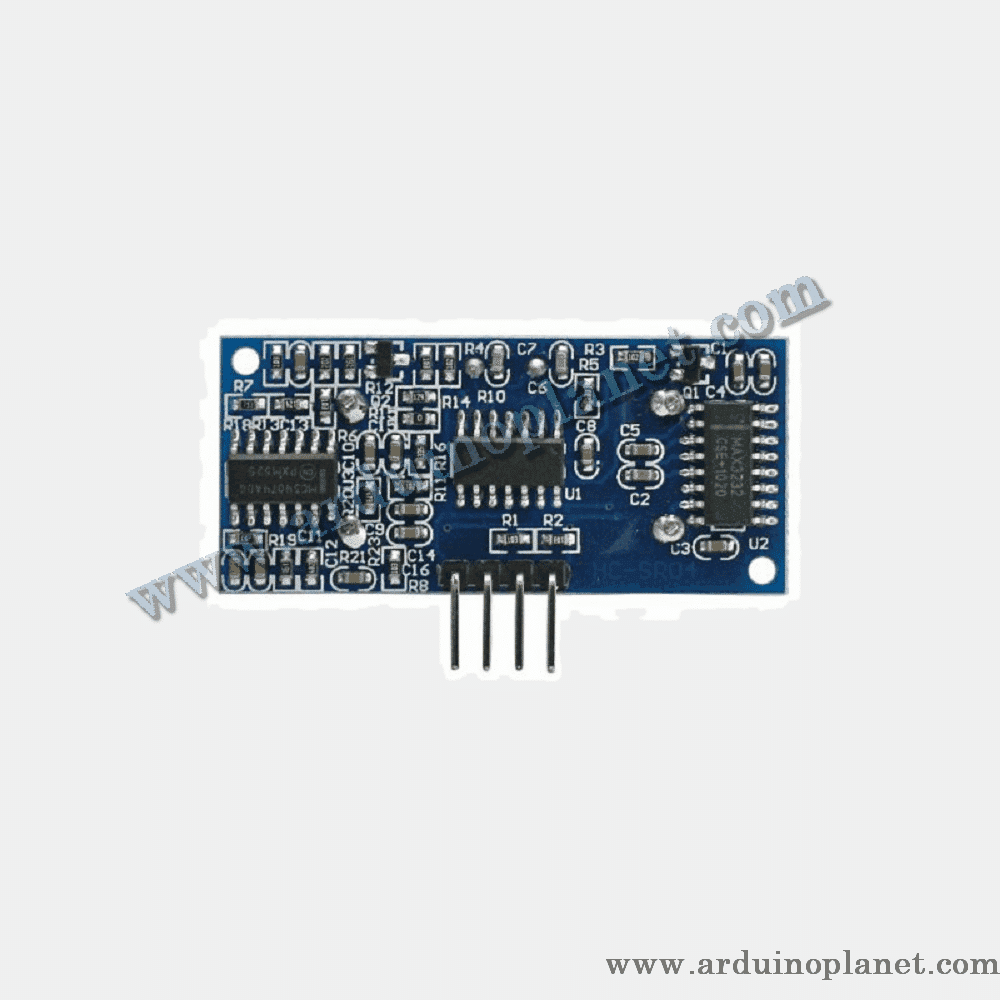
Description
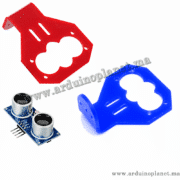
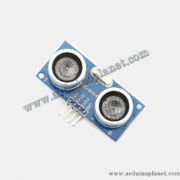
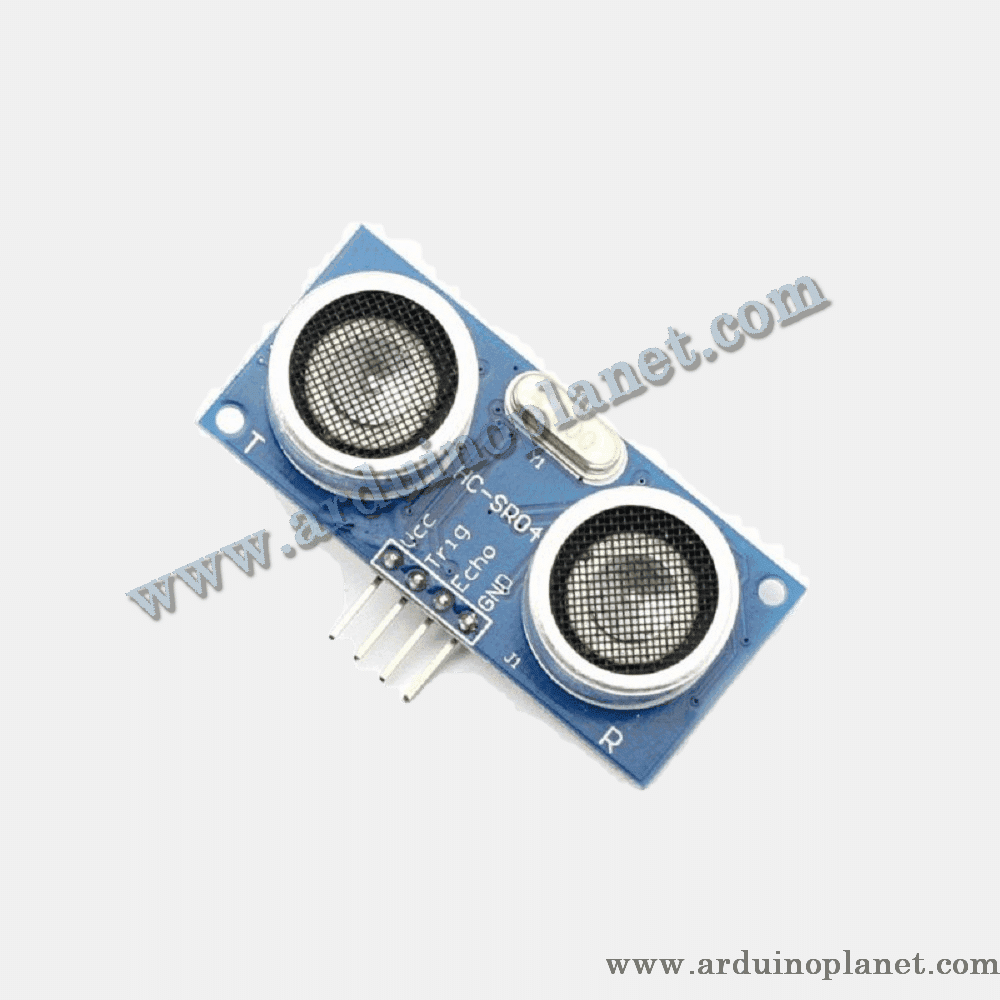
HC-SR04 Ultrasonic Distance Sensor Module
The HC-SR04 module is a popular ultrasonic distance sensor that uses sound waves to measure the distance to an object. It offers accurate distance measurements from 2 cm to 400 cm with an accuracy of approximately 3 mm.
Detailed Features
- Operating Voltage: 5V DC
- Operating Current: < 15mA
- Operating Frequency: 40 kHz
- Detection Angle: 15 degrees
- Measuring Range: 2 cm to 400 cm
- Accuracy: ± 3 mm
- Dimensions: 45 x 20 x 15 mm
Operation
The HC-SR04 sensor uses an ultrasonic transmitter and receiver. The transmitter sends out a burst of ultrasound, and the receiver waits for the echo reflected by an object. The time elapsed between the emission and reception of the wave is used to calculate the distance to the object using the formula:
Applications
- Robotics: Obstacle Avoidance
- Security Systems: Presence Detection
- DIY Projects: Distance Measurement and Monitoring
- Industrial Automation: Object Control and Detection
Pinout
- Trig: Connected to the Arduino’s trigger pin (Trig)
- Echo: Connected to the Arduino’s echo pin (Echo)
- VCC: Connected to the Arduino’s 5V power supply
- GND: Connected to the Arduino’s ground
How to Use It
To use the HC-SR04 sensor with an Arduino, connect the Trig pin to a digital output (e.g., D2), the Echo pin to a digital input (e.g., D3), the VCC pin to the 5V power supply, and the GND pin to ground.
How to Use It with Arduino Uno
Basic Arduino Code Example
#define trigPin 2 // Définir la broche 2 pour le Trig
#define echoPin 3 // Définir la broche 3 pour l'Echo


long duration; // Variable pour la durée de l'écho
int distance; // Variable pour la distance calculée


void setup() {
  pinMode(trigPin, OUTPUT); // Configurer trigPin en sortie
  pinMode(echoPin, INPUT); // Configurer echoPin en entrée
  Serial.begin(9600); // Initialiser la communication série à 9600 bauds
}


void loop() {
  // Envoyer une impulsion ultrasonique de 10 µs
  digitalWrite(trigPin, LOW);
  delayMicroseconds(2);
  digitalWrite(trigPin, HIGH);
  delayMicroseconds(10);
  digitalWrite(trigPin, LOW);


  // Lire la durée de l'écho
  duration = pulseIn(echoPin, HIGH);


  // Calculer la distance en utilisant la formule
  distance = duration * 0.034 / 2;


  // Afficher la distance sur le moniteur série
  Serial.print("Distance: ");
  Serial.print(distance);
  Serial.println(" cm");


  delay(1000); // Attendre 1 seconde avant de refaire une lecture
}
Code Purpose
This code reads values from the ultrasonic sensor and calculates the distance to an object. The results are displayed on the serial monitor.
Components Required for Basic Code
- Arduino Uno
- HC-SR04 Ultrasonic Distance Sensor Module
- Jumper Wires
Detailed Explanation of Basic Code
- Pin Initialization:
trigPinis configured as an output andechoPinas an input. - Sending the Ultrasonic Signal: A 10 µs pulse is sent on
trigPinto trigger the emission of an ultrasonic burst. - Measuring Echo Time: The duration of the echo return is measured on
echoPin. - Distance Calculation: The distance is calculated by multiplying the duration by the speed of sound (0.034 cm/µs) and dividing by 2.
- Displaying the Distance: The calculated distance is displayed on the serial monitor.
Detailed Pinout for Basic Code Connections
- Trig: Connected to Arduino pin 2
- Echo: Connected to Arduino pin 3
- VCC: Connected to Arduino 5V pin
- GND: Connected to Arduino GND pin
Advanced Arduino Code Example for LCD Display with Detailed Comments
#include <Wire.h> // Inclusion de la bibliothèque Wire pour I2C
#include <LiquidCrystal_I2C.h> // Inclusion de la bibliothèque LiquidCrystal_I2C pour l'écran LCD I2C


// Constantes
const int TRIG_PIN = 2; // Définir la broche 2 pour le Trig
const int ECHO_PIN = 3; // Définir la broche 3 pour l'Echo
const int PULSE_DURATION = 10; // Durée de l'impulsion en microsecondes
const float SPEED_OF_SOUND = 0.034; // Vitesse du son en cm par microseconde


LiquidCrystal_I2C lcd(0x27, 16, 2); // Initialisation de l'écran LCD I2C avec l'adresse 0x27 et une taille de 16x2


void setup() {
  pinMode(TRIG_PIN, OUTPUT); // Configurer TRIG_PIN en sortie
  pinMode(ECHO_PIN, INPUT); // Configurer ECHO_PIN en entrée
  lcd.begin(); // Initialiser l'écran LCD
  lcd.backlight(); // Allumer le rétroéclairage de l'écran LCD
  Serial.begin(9600); // Initialiser la communication série à 9600 bauds
}


void loop() {
  // Envoyer une impulsion ultrasonique de 10 µs
  digitalWrite(TRIG_PIN, LOW);
  delayMicroseconds(2);
  digitalWrite(TRIG_PIN, HIGH);
  delayMicroseconds(PULSE_DURATION);
  digitalWrite(TRIG_PIN, LOW);


  // Lire la durée de l'écho
  long duration = pulseIn(ECHO_PIN, HIGH);


  // Vérifier les lectures invalides du capteur
  if (duration == 0) {
    Serial.println("Erreur: Lecture du capteur invalide");
    return;
  }


  // Calculer la distance en utilisant la formule
  float distance = duration * SPEED_OF_SOUND / 2;


  // Afficher la distance sur l'écran LCD
  lcd.setCursor(0, 0); // Positionner le curseur à la première ligne
  lcd.print("Distance: ");
  lcd.print(distance, 2); // Afficher avec 2 décimales
  lcd.print(" cm");


  // Afficher la distance sur le moniteur série
  Serial.print("Distance: ");
  Serial.print(distance, 2);
  Serial.println(" cm");


  delay(1000); // Attendre 1 seconde avant de refaire une lecture
}
Detailed Explanation of Enhanced Code
- Library Inclusion: The
Wire.handLiquidCrystal_I2C.hlibraries are included to enable communication with the LCD screen using the I2C protocol. - Constant Definition: Constants define the ultrasonic sensor pins (
TRIG_PINandECHO_PIN), the pulse duration (PULSE_DURATION), and the speed of sound in cm per microsecond (SPEED_OF_SOUND). - Pin and LCD Screen Initialization:
- The
setup()function initializes the LCD screen by calling thebegin()andbacklight()methods of theLiquidCrystal_I2Clibrary. - It also initializes serial communication at a speed of 9600 baud.
- Pins
TRIG_PINandECHO_PINare configured as output and input, respectively.
- The
- Sending the Ultrasonic Signal:
- A 10 µs pulse is sent on
TRIG_PINto trigger the emission of an ultrasonic burst.
- A 10 µs pulse is sent on
- Measuring Echo Time:
- The duration of the echo return is measured on
ECHO_PINusing thepulseIn()function.
- The duration of the echo return is measured on
- Checking for Invalid Readings:
- If the measured duration is 0, an error message is displayed on the serial monitor and the program returns without performing further calculations.
- Distance Calculation:
- The distance is calculated using the formula
(duration * SPEED_OF_SOUND / 2).
- The distance is calculated using the formula
- Displaying Values:
- The distance is displayed on the LCD screen with two decimal places of precision.
- The distance is also displayed on the serial monitor with two decimal places of precision.
Components Required for Advanced Code
- Arduino Uno
- HC-SR04 Ultrasonic Distance Sensor Module
- I2C 1602 LCD Screen
- Jumper Wires
Driver/Library Installation
Basic and Advanced Codes No special libraries are needed for the basic code. For the advanced code using an I2C LCD screen, install the LiquidCrystal_I2C library via the Arduino IDE’s Library Manager.
- Open the Arduino IDE.
- Go to the Sketch menu -> Include Library -> Manage Libraries…
- Search for
LiquidCrystal_I2Cand click Install.
Keywords: ultrasonic, ranging, range, sr04, sensor, sonar.