Description
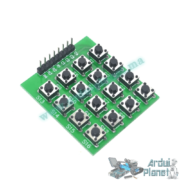
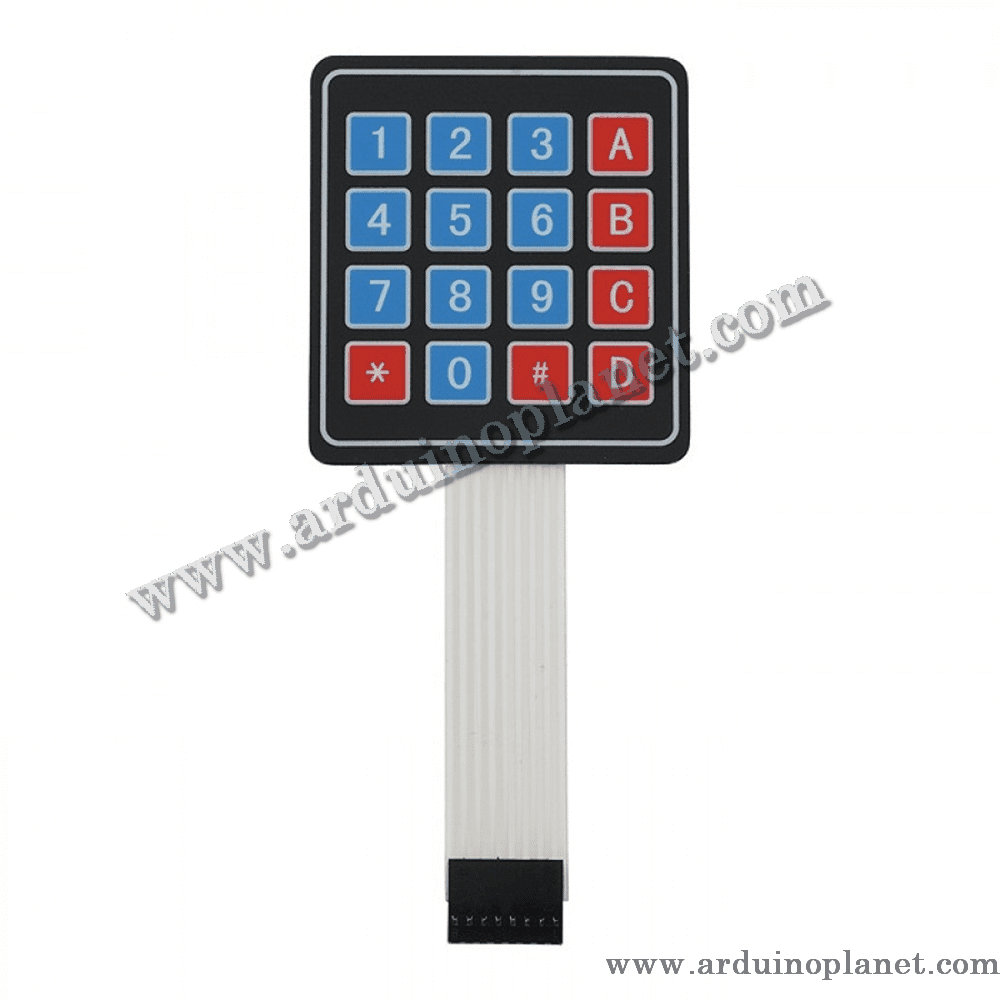
4×4 16-Key Matrix Keypad
The 4×4 16-key matrix keypad provides a versatile user interface for electronics and home-automation projects.
This keypad is an input device with 16 buttons arranged in a grid of 4 rows and 4 columns. When a key is pressed, it connects one row to one column, allowing the controller to identify the pressed key. It is well suited to projects requiring multiple input options, such as security systems, access-control systems, and automation projects.
Detailed Specifications
- Configuration: 4 rows x 4 columns
- Number of keys: 16
- Operating voltage: 5V DC
- Contact type: Membrane
- Dimensions: 70mm x 77mm
- Interface: 8 pins (4 rows, 4 columns)
- Service life: Up to 1 million presses per key
Operation
The keypad scans its rows and columns to detect pressed keys. Pressing a key connects a row to a column, enabling the microcontroller to identify it. Scanning is typically handled by a library in development environments such as Arduino.
Applications
- Security systems: Entering codes for access control.
- Automation: User interfaces for machines or home-automation systems.
- Electronics prototyping: Development projects that require user input.
How to Use It with an Arduino Uno
You will need:
- 1 x 4×4 16-key matrix keypad
- 1 x Arduino Uno
- Connecting wires
- Breadboard
Wiring instructions:
- Connect the keypad: Connect its 8 pins to Arduino digital pins (for example, pins 2 through 9).
- Use the Keypad library:
- Install the Keypad library in the Arduino IDE.
- Use the code below to read keypad input.
Arduino Uno code example:
#include <Keypad.h>

const byte ROWS = 4; // quatre lignes
const byte COLS = 4; // quatre colonnes
char keys[ROWS][COLS] = {
{'1','2','3','A'},
{'4','5','6','B'},
{'7','8','9','C'},
{'*','0','#','D'}
};

byte rowPins[ROWS] = {9, 8, 7, 6}; // Connecté aux pins des lignes du clavier
byte colPins[COLS] = {5, 4, 3, 2}; // Connecté aux pins des colonnes du clavier

Keypad clavier = Keypad(makeKeymap(keys), rowPins, colPins, ROWS, COLS);

void setup() {
Serial.begin(9600);
}

void loop() {
char key = clavier.getKey();
if (key) {
Serial.println(key);
}
}
Code Explanation
- Keypad library: The code includes the Keypad library to handle the matrix keypad. Install this library in the Arduino IDE before use.
- Row and column declarations: The
ROWSandCOLSconstants define the number of rows and columns. Thekeysarray assigns a character to each key. - Row and column pins: The
rowPinsandcolPinsarrays specify the Arduino pins connected to the keypad rows and columns. - Keypad initialization: The
Keypadobject is created using the key map (makeKeymap), row and column pins, and keypad dimensions. - Serial communication setup:
setup()initializes serial communication at 9600 baud so pressed keys can be shown in the Serial Monitor. - Reading keys: In the main
loop(), thegetKey()method reads a pressed key. If a key is pressed (if (key)), its character is printed withSerial.println(key).
Pinout
- L1 – L4: Connected to digital pins (for example, 9 through 6) for the rows.
- C1 – C4: Connected to digital pins (for example, 5 through 2) for the columns.
Keywords: matrix keypad, 4×4 keypad, user interface, access control, 16-key keypad, matrix, keyboard.