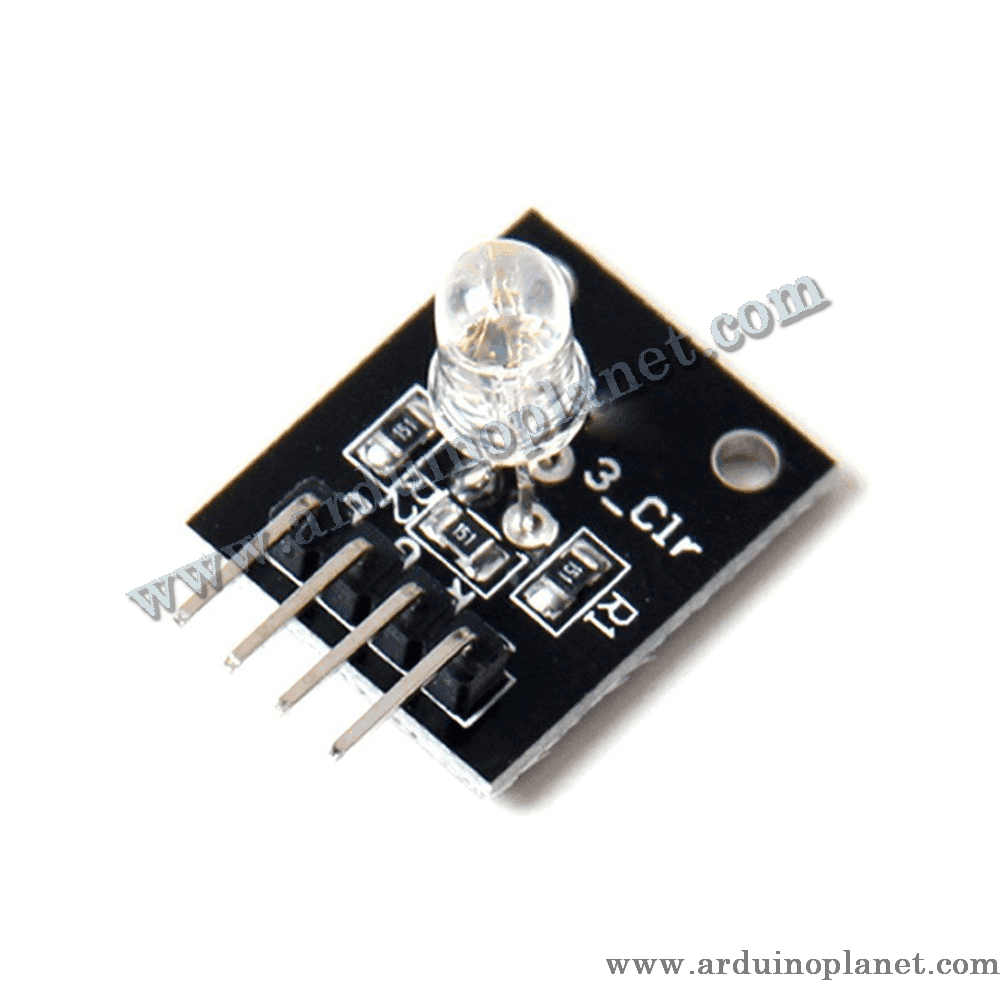
Description
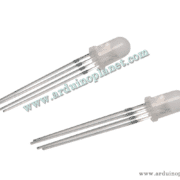
5mm RGB LED Module, Common Cathode
This module combines red, green and blue LED elements in a 5 mm RGB package. The listing identifies it as common-cathode: the color cathodes share ground, while the R, G and B anodes are controlled separately to mix colors.
🔧 Listed specifications
- Operating voltage: 5 V (listing)
- LED type: 5 mm RGB LED
- Drive arrangement: common cathode
- Current-limiting resistors: 150 Ω per color, stated as integrated
- Module dimensions: 15 × 19 mm
Confirm that the resistors are present on the supplied board and check its printed pin labels before wiring.
⚙️ How it works
Connect the common cathode to ground. Control the R, G and B anodes separately; changing each channel’s PWM duty cycle changes its brightness and blends the output color. Use PWM-capable pins supported by your specific microcontroller board.
💡 Applications
- Decorative and prototype lighting
- Color displays and signaling
- Automotive-lighting prototypes
- Hobby and DIY projects
- Stage-lighting experiments
📌 Pinout listed by the source
- GND: common cathode / ground
- G: green-channel anode
- R: red-channel anode
- B: blue-channel anode
🔌 Basic Arduino Uno example: color cycle
The original code is preserved below. The example changes the RGB output through color settings; verify the pin assignments and resistor arrangement on the actual module.
int redPin = 11;   // Broche pour la LED rouge
int greenPin = 10; // Broche pour la LED verte
int bluePin = 9;   // Broche pour la LED bleue


void setup() {
  pinMode(redPin, OUTPUT);
  pinMode(greenPin, OUTPUT);
  pinMode(bluePin, OUTPUT);
}


void loop() {
  analogWrite(redPin, 255);   // Rouge maximum
  analogWrite(greenPin, 0);   // Vert éteint
  analogWrite(bluePin, 0);    // Bleu éteint
  delay(1000);                // Attendre 1 seconde


  analogWrite(redPin, 0);     // Rouge éteint
  analogWrite(greenPin, 255); // Vert maximum
  analogWrite(bluePin, 0);    // Bleu éteint
  delay(1000);                // Attendre 1 seconde


  analogWrite(redPin, 0);     // Rouge éteint
  analogWrite(greenPin, 0);   // Vert éteint
  analogWrite(bluePin, 255);  // Bleu maximum
  delay(1000);                // Attendre 1 seconde


  analogWrite(redPin, 255);   // Rouge maximum
  analogWrite(greenPin, 255); // Vert maximum
  analogWrite(bluePin, 255);  // Bleu maximum
  delay(1000);                // Attendre 1 seconde
}
Components for the basic example
- Arduino Uno
- 5 mm RGB LED module
- Connecting wires
Connections shown by the example
- GND: module common cathode to Arduino GND
- R: Arduino pin 11
- G: Arduino pin 10
- B: Arduino pin 9
🌈 Advanced example: color fading
The original fade example is preserved below. It adjusts the three channel outputs with PWM and prints the loop value over serial.
const int redPin = 11;   // Broche pour la LED rouge
const int greenPin = 10; // Broche pour la LED verte
const int bluePin = 9;   // Broche pour la LED bleue
int val;                 // Variable pour stocker la valeur de la luminosité


void setup() {
  pinMode(redPin, OUTPUT);   // Définir la broche de la LED rouge comme sortie
  pinMode(greenPin, OUTPUT); // Définir la broche de la LED verte comme sortie
  pinMode(bluePin, OUTPUT);  // Définir la broche de la LED bleue comme sortie
  Serial.begin(9600);        // Initialiser la communication série
}


void loop() {
  for(val = 255; val > 0; val--) {  // Diminuer progressivement la luminosité
    analogWrite(redPin, val);       // Ajuster la luminosité de la LED rouge
    analogWrite(bluePin, 255 - val); // Ajuster la luminosité de la LED bleue
    analogWrite(greenPin, 128 - val); // Ajuster la luminosité de la LED verte
    Serial.println(val, DEC);       // Afficher la valeur actuelle dans le moniteur série
    delay(5);                       // Attendre 5 ms
  }
  for(val = 0; val < 255; val++) {  // Augmenter progressivement la luminosité
    analogWrite(redPin, val);       // Ajuster la luminosité de la LED rouge
    analogWrite(bluePin, 255 - val); // Ajuster la luminosité de la LED bleue
    analogWrite(greenPin, 128 - val); // Ajuster la luminosité de la LED verte
    Serial.println(val, DEC);       // Afficher la valeur actuelle dans le moniteur série
    delay(5);                       // Attendre 5 ms
  }
}
Code note
In the source’s advanced example, the green-channel expression 128 - val becomes negative for part of the loop. The code is retained unchanged as requested, but clamp or remap that value to 0–255 before using it if you want predictable fading.
Connections for the advanced example
- GND: module common cathode to Arduino GND
- R: Arduino pin 11
- G: Arduino pin 10
- B: Arduino pin 9
Use current-limited LED channels and do not exceed the GPIO current ratings. PWM functions and pin support differ between Arduino, ESP32, Raspberry Pi and other boards; adapt the code to the selected platform.