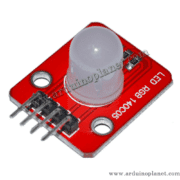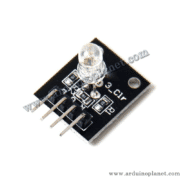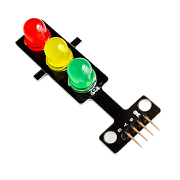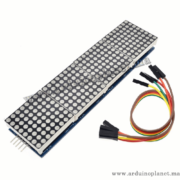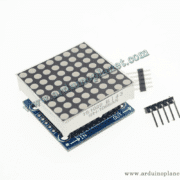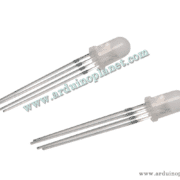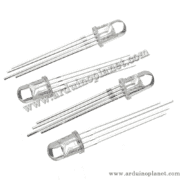
Description
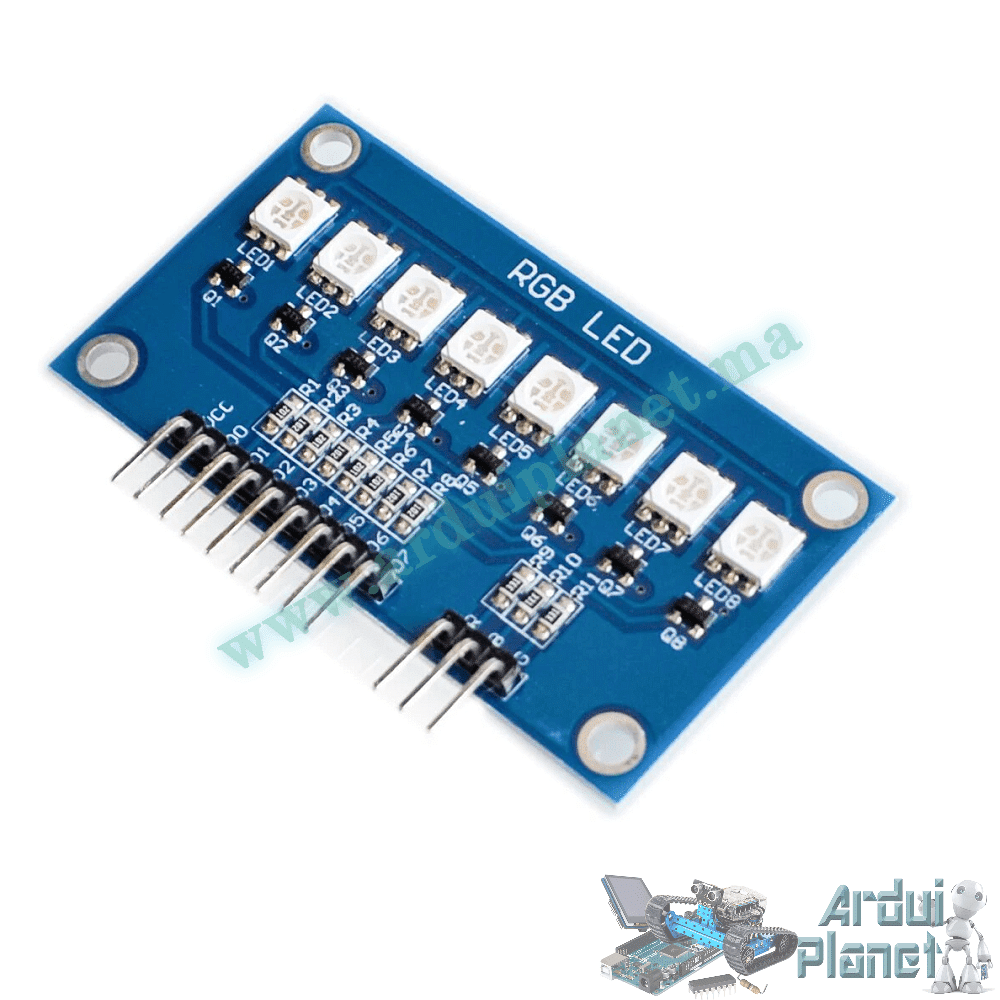
8-LED RGB 5050 Module
RGB LED module listed with eight 5050 LEDs for decorative lighting, indicators and electronics projects.
Specifications stated in the listing
- Supply: 5V DC (seller-listed)
- LEDs: 8 × RGB 5050
- Dimensions: 51 × 10 × 3mm
- Listed current: approximately 18mA per LED
- Listed scan frequency: ≥400Hz/s
- Listed brightness: 256 levels per colour
- Module described as chainable
The listing gives conflicting descriptions of the control interface and pinout. It mentions D0–D7 data connections as well as separate R, G and B pins, while the included sketches only write PWM to the colour pins and do not control D0–D7. Verify the actual PCB markings, circuit and required driver before wiring or applying power. The source also labels Arduino pins 10, 11 and 12 as PWM; pin 12 on an Uno is not a PWM output. The examples below are reproduced unchanged from the French listing and may require correction for your hardware.
Basic source example
#define RED_PIN 10  // Pin for red color
#define GREEN_PIN 11  // Pin for green color
#define BLUE_PIN 12  // Pin for blue color


#define D0 2
#define D1 3
#define D2 4
#define D3 5
#define D4 6
#define D5 7
#define D6 8
#define D7 9


void setup() {
  pinMode(RED_PIN, OUTPUT);
  pinMode(GREEN_PIN, OUTPUT);
  pinMode(BLUE_PIN, OUTPUT);

  pinMode(D0, OUTPUT);
  pinMode(D1, OUTPUT);
  pinMode(D2, OUTPUT);
  pinMode(D3, OUTPUT);
  pinMode(D4, OUTPUT);
  pinMode(D5, OUTPUT);
  pinMode(D6, OUTPUT);
  pinMode(D7, OUTPUT);
}


void loop() {
  // Example: Set all LEDs to red
  setColor(255, 0, 0);  // Set all LEDs to red
  delay(1000);  // Wait 1 second


  // Example: Set all LEDs to green
  setColor(0, 255, 0);  // Set all LEDs to green
  delay(1000);  // Wait 1 second


  // Example: Set all LEDs to blue
  setColor(0, 0, 255);  // Set all LEDs to blue
  delay(1000);  // Wait 1 second


  // Example: Cycle through colors
  for (int i = 0; i < 256; i++) {
    setColor(i, 255 - i, 0);  // Change colors
    delay(10);  // Wait 10 milliseconds
  }
}


// Function to set color for all LEDs
void setColor(int red, int green, int blue) {
  analogWrite(RED_PIN, red);
  analogWrite(GREEN_PIN, green);
  analogWrite(BLUE_PIN, blue);
}
#define RED_PIN 10 // Pin pour la couleur rouge
#define GREEN_PIN 11 // Pin pour la couleur verte
#define BLUE_PIN 12 // Pin pour la couleur bleue
#define D0 2 // Pin de données pour la LED 0
#define D1 3 // Pin de données pour la LED 1
#define D2 4 // Pin de données pour la LED 2
#define D3 5 // Pin de données pour la LED 3
#define D4 6 // Pin de données pour la LED 4
#define D5 7 // Pin de données pour la LED 5
#define D6 8 // Pin de données pour la LED 6
#define D7 9 // Pin de données pour la LED 7
void setup() {
// Configurer les broches de couleur comme sorties
pinMode(RED_PIN, OUTPUT);
pinMode(GREEN_PIN, OUTPUT);
pinMode(BLUE_PIN, OUTPUT);
// Configurer les broches de données des LEDs comme sorties
pinMode(D0, OUTPUT);
pinMode(D1, OUTPUT);
pinMode(D2, OUTPUT);
pinMode(D3, OUTPUT);
pinMode(D4, OUTPUT);
pinMode(D5, OUTPUT);
pinMode(D6, OUTPUT);
pinMode(D7, OUTPUT);
}
void loop() {
// Exemple : Fixer toutes les LEDs à rouge
setColor(255, 0, 0); // Fixer toutes les LEDs à rouge
delay(1000); // Attendre 1 seconde
// Exemple : Fixer toutes les LEDs à vert
setColor(0, 255, 0); // Fixer toutes les LEDs à vert
delay(1000); // Attendre 1 seconde
// Exemple : Fixer toutes les LEDs à bleu
setColor(0, 0, 255); // Fixer toutes les LEDs à bleu
delay(1000); // Attendre 1 seconde
// Cycle à travers les couleurs
for (int i = 0; i < 256; i++) {
setColor(i, 255 - i, 0); // Changer les couleurs progressivement
delay(10); // Attendre 10 millisecondes
}
// Effet de fondu
for (int i = 0; i < 256; i++) {
setColor(i, i, i); // Fondu entrant
delay(10); // Attendre 10 millisecondes
}
for (int i = 255; i >= 0; i--) {
setColor(i, i, i); // Fondu sortant
delay(10); // Attendre 10 millisecondes
}
// Effet arc-en-ciel
for (int i = 0; i < 256; i++) {
int r = sin(i * 0.01) * 127 + 128;
int g = sin(i * 0.01 + 2) * 127 + 128;
int b = sin(i * 0.01 + 4) * 127 + 128;
setColor(r, g, b); // Effet arc-en-ciel
delay(10); // Attendre 10 millisecondes
}
// Effet de respiration
for (int i = 0; i < 256; i++) {
int r = sin(i * 0.01) * 127 + 128;
int g = sin(i * 0.01) * 127 + 128;
int b = sin(i * 0.01) * 127 + 128;
setColor(r, g, b); // Effet de respiration
delay(10); // Attendre 10 millisecondes
}
for (int i = 255; i >= 0; i--) {
int r = sin(i * 0.01) * 127 + 128;
int g = sin(i * 0.01) * 127 + 128;
int b = sin(i * 0.01) * 127 + 128;
setColor(r, g, b); // Effet de respiration sortant
delay(10); // Attendre 10 millisecondes
}
}
// Fonction pour définir la couleur pour toutes les LEDs
void setColor(int red, int green, int blue) {
analogWrite(RED_PIN, red);
analogWrite(GREEN_PIN, green);
analogWrite(BLUE_PIN, blue);
}Advanced source example
The source describes additional colour, fade, rainbow and breathing effects. Check the module interface and driver first; the sketch shown controls only the three defined colour outputs.
#define RED_PIN 10  // Pin for red color
#define GREEN_PIN 11  // Pin for green color
#define BLUE_PIN 12  // Pin for blue color


#define D0 2
#define D1 3
#define D2 4
#define D3 5
#define D4 6
#define D5 7
#define D6 8
#define D7 9


void setup() {
  pinMode(RED_PIN, OUTPUT);
  pinMode(GREEN_PIN, OUTPUT);
  pinMode(BLUE_PIN, OUTPUT);

  pinMode(D0, OUTPUT);
  pinMode(D1, OUTPUT);
  pinMode(D2, OUTPUT);
  pinMode(D3, OUTPUT);
  pinMode(D4, OUTPUT);
  pinMode(D5, OUTPUT);
  pinMode(D6, OUTPUT);
  pinMode(D7, OUTPUT);
}


void loop() {
  // Example: Set all LEDs to red
  setColor(255, 0, 0);  // Set all LEDs to red
  delay(1000);  // Wait 1 second


  // Example: Set all LEDs to green
  setColor(0, 255, 0);  // Set all LEDs to green
  delay(1000);  // Wait 1 second


  // Example: Set all LEDs to blue
  setColor(0, 0, 255);  // Set all LEDs to blue
  delay(1000);  // Wait 1 second


  // Example: Cycle through colors
  for (int i = 0; i < 256; i++) {
    setColor(i, 255 - i, 0);  // Change colors
    delay(10);  // Wait 10 milliseconds
  }
}


// Function to set color for all LEDs
void setColor(int red, int green, int blue) {
  analogWrite(RED_PIN, red);
  analogWrite(GREEN_PIN, green);
  analogWrite(BLUE_PIN, blue);
}
#define RED_PIN 10 // Pin pour la couleur rouge
#define GREEN_PIN 11 // Pin pour la couleur verte
#define BLUE_PIN 12 // Pin pour la couleur bleue
#define D0 2 // Pin de données pour la LED 0
#define D1 3 // Pin de données pour la LED 1
#define D2 4 // Pin de données pour la LED 2
#define D3 5 // Pin de données pour la LED 3
#define D4 6 // Pin de données pour la LED 4
#define D5 7 // Pin de données pour la LED 5
#define D6 8 // Pin de données pour la LED 6
#define D7 9 // Pin de données pour la LED 7
void setup() {
// Configurer les broches de couleur comme sorties
pinMode(RED_PIN, OUTPUT);
pinMode(GREEN_PIN, OUTPUT);
pinMode(BLUE_PIN, OUTPUT);
// Configurer les broches de données des LEDs comme sorties
pinMode(D0, OUTPUT);
pinMode(D1, OUTPUT);
pinMode(D2, OUTPUT);
pinMode(D3, OUTPUT);
pinMode(D4, OUTPUT);
pinMode(D5, OUTPUT);
pinMode(D6, OUTPUT);
pinMode(D7, OUTPUT);
}
void loop() {
// Exemple : Fixer toutes les LEDs à rouge
setColor(255, 0, 0); // Fixer toutes les LEDs à rouge
delay(1000); // Attendre 1 seconde
// Exemple : Fixer toutes les LEDs à vert
setColor(0, 255, 0); // Fixer toutes les LEDs à vert
delay(1000); // Attendre 1 seconde
// Exemple : Fixer toutes les LEDs à bleu
setColor(0, 0, 255); // Fixer toutes les LEDs à bleu
delay(1000); // Attendre 1 seconde
// Cycle à travers les couleurs
for (int i = 0; i < 256; i++) {
setColor(i, 255 - i, 0); // Changer les couleurs progressivement
delay(10); // Attendre 10 millisecondes
}
// Effet de fondu
for (int i = 0; i < 256; i++) {
setColor(i, i, i); // Fondu entrant
delay(10); // Attendre 10 millisecondes
}
for (int i = 255; i >= 0; i--) {
setColor(i, i, i); // Fondu sortant
delay(10); // Attendre 10 millisecondes
}
// Effet arc-en-ciel
for (int i = 0; i < 256; i++) {
int r = sin(i * 0.01) * 127 + 128;
int g = sin(i * 0.01 + 2) * 127 + 128;
int b = sin(i * 0.01 + 4) * 127 + 128;
setColor(r, g, b); // Effet arc-en-ciel
delay(10); // Attendre 10 millisecondes
}
// Effet de respiration
for (int i = 0; i < 256; i++) {
int r = sin(i * 0.01) * 127 + 128;
int g = sin(i * 0.01) * 127 + 128;
int b = sin(i * 0.01) * 127 + 128;
setColor(r, g, b); // Effet de respiration
delay(10); // Attendre 10 millisecondes
}
for (int i = 255; i >= 0; i--) {
int r = sin(i * 0.01) * 127 + 128;
int g = sin(i * 0.01) * 127 + 128;
int b = sin(i * 0.01) * 127 + 128;
setColor(r, g, b); // Effet de respiration sortant
delay(10); // Attendre 10 millisecondes
}
}
// Fonction pour définir la couleur pour toutes les LEDs
void setColor(int red, int green, int blue) {
analogWrite(RED_PIN, red);
analogWrite(GREEN_PIN, green);
analogWrite(BLUE_PIN, blue);
}Connections claimed in the listing
The source lists VCC to 5V, GND to ground, D0–D7 to digital pins 2–9, and R/B/G to pins 10/11/12. These assignments are internally inconsistent with the source sketches and Arduino Uno PWM capabilities. Do not rely on this pinout without confirming it against the supplied board documentation.