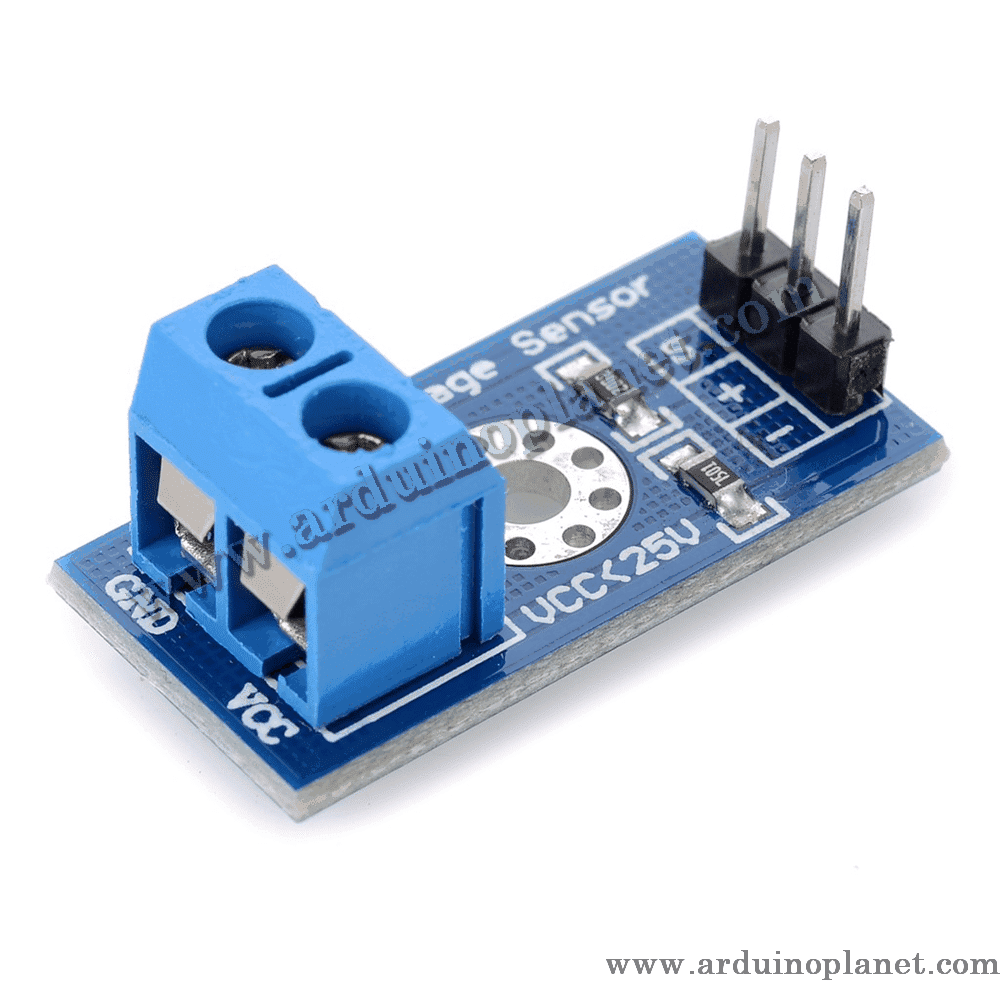
Description
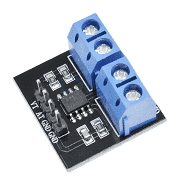
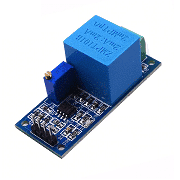
B25 0–25V Voltage Sensor Module
This module uses a resistor divider to scale a DC input voltage down for measurement by a microcontroller’s analog input. The listing specifies a maximum input of 25 V and a divide-by-five ratio.
🔧 Listed specifications
- Input range: 0–25 V DC (as listed; do not exceed the rating of the supplied board)
- Divider resistors: R1 = 30 kΩ and R2 = 7.5 kΩ
- Divider ratio: 5:1 (the analog output is approximately one-fifth of the input)
- Listed minimum detection increment: 0.02445 V at the measured input
- Listed analog step: 0.00489 V at a 5 V, 10-bit Arduino ADC input
- Dimensions: approximately 4 × 3 × 2 cm (as listed)
- External components: none required for the basic divider
⚙️ How it works
The two resistors reduce the voltage presented to the analog output. With the listed 5:1 divider, a 25 V input corresponds to about 5 V at the ADC input. This is not galvanic isolation: the source and Arduino grounds must be connected as appropriate, and the input must remain within the board and ADC ratings.
📌 Wiring—check the board labels
The source listing uses inconsistent labels: it describes input pins as VCC/GND, then also mentions +/− terminals. On common divider boards, + and − are the measured-voltage input, S is the scaled analog output, and −/GND is shared with the Arduino. Confirm the printed labels and circuit of the actual board before connecting; do not assume this module needs a separate VCC supply.
- Measured input +: positive side of the DC voltage being measured
- Measured input −: negative side / common ground
- S: scaled analog output to Arduino A0
- Arduino GND: connect to the divider’s common ground where the board design requires it
🔌 Basic Arduino Uno example
The original code sample is preserved below. It assumes a 5 V ADC reference, 10-bit conversion and a 5:1 divider. Calibrate the reference and divider ratio on your actual hardware for accurate measurements.
#define ANALOG_IN_PIN A0


void setup() {
  Serial.begin(9600);
}


void loop() {
  int sensorValue = analogRead(ANALOG_IN_PIN);
  float voltage = sensorValue * (5.0 / 1023.0) * 5.0; // Facteur de conversion pour 25V
  Serial.print("Voltage: ");
  Serial.print(voltage);
  Serial.println(" V");
  delay(1000);
}
What the basic code does
The sketch reads the scaled analog voltage, multiplies by five to estimate the input voltage, and prints the result to the serial monitor.
Components for the basic example
- Arduino Uno
- B25 voltage-divider module
- Connecting wires
📟 Advanced example: I2C LCD
The original LCD example is preserved below. Install a compatible LiquidCrystal_I2C library and check the API for the version installed in the Arduino IDE.
#include <LiquidCrystal_I2C.h>


// Constantes
const float V_REF = 5.0;
const int ADC_RESOLUTION = 1023;
const float DIVIDER_RATIO = 5.0;
const int VOLTAGE_SENSOR_PIN = A0;
const int DELAY_TIME = 1000; // Délai entre les lectures
const float MAX_VOLTAGE = 25.0; // Tension maximale mesurable


LiquidCrystal_I2C lcd(0x27, 16, 2);


void setup() {
  lcd.begin();
  lcd.backlight();
  Serial.begin(9600);
}


void readSensorValue(int& sensorValue) {
  sensorValue = analogRead(VOLTAGE_SENSOR_PIN);
}


float calculateVoltage(int sensorValue) {
  if (ADC_RESOLUTION == 0) {
    Serial.println("Erreur: ADC_RESOLUTION est zéro.");
    return 0.0;
  }


  float adc_voltage = sensorValue * (V_REF / ADC_RESOLUTION);
  float voltage = adc_voltage * DIVIDER_RATIO;


  if (voltage > MAX_VOLTAGE) {
    Serial.println("Erreur: Tension hors plage.");
    return 0.0;
  }


  return voltage;
}


void displayValuesOnLCD(float voltage) {
  static float lastVoltage = -1.0;


  if (voltage != lastVoltage) {
    lcd.clear();
    lcd.setCursor(0, 0);
    lcd.print("Voltage: ");
    lcd.print(voltage, 2); // Affiche la tension avec 2 décimales
    lcd.print(" V");
    lastVoltage = voltage;
  }
}


void displayValuesOnSerialConsole(float voltage) {
  Serial.print("Voltage: ");
  Serial.print(voltage, 2);
  Serial.println(" V");
}


void loop() {
  int sensorValue;
  readSensorValue(sensorValue);
  float voltage = calculateVoltage(sensorValue);
  displayValuesOnLCD(voltage);
  displayValuesOnSerialConsole(voltage);
  delay(DELAY_TIME);
}
What the advanced code does
The example reads the analog input, applies the configured divider ratio, and displays the estimated voltage on the LCD and serial monitor. It includes a maximum-voltage check in the calculation routine, but that software check does not protect the hardware from overvoltage.
Components and connections
- Arduino Uno
- B25 voltage-divider module
- 1602 I2C LCD for the advanced example
- Module output S to Arduino A0
- LCD SDA / SCL to Arduino A4 / A5 on the Uno
- Common ground according to the actual module wiring
This divider measures positive DC voltage only. Confirm the board’s maximum input and ensure the divided voltage never exceeds the analog input’s allowed range. Use a meter to verify wiring before connecting a valuable circuit.
📚 Library
No dedicated library is needed for the voltage divider. The LCD example uses LiquidCrystal_I2C, available through the Arduino IDE Library Manager.