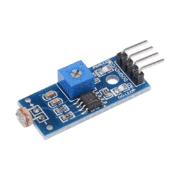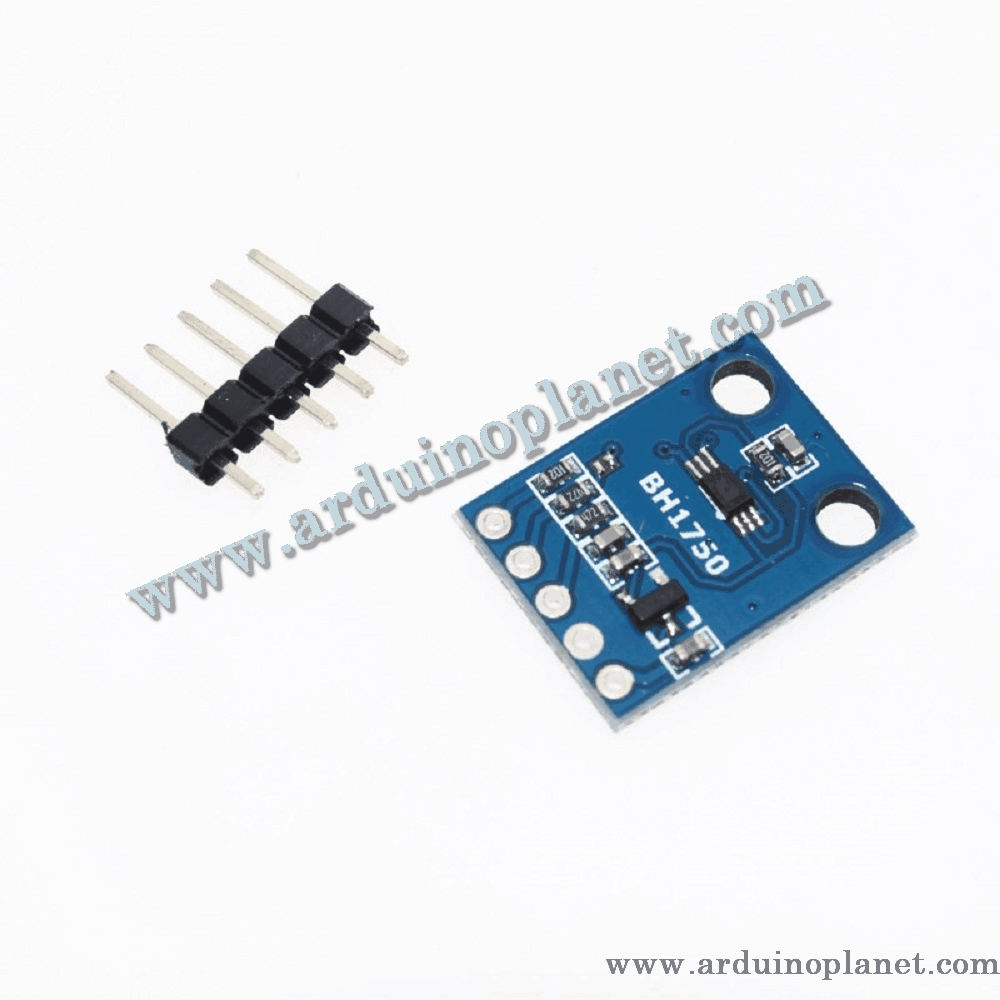
Description
BH1750FVI Digital Ambient Light Sensor Module
This module uses the BH1750FVI digital ambient-light sensor to measure illuminance and report a digital value over I²C. It is useful for light-level monitoring, automatic display-brightness projects and other prototypes that need an ambient-light reading.
🔧 Specifications stated for this module
- Sensor: BH1750FVI, digital ambient-light sensor
- Interface: I²C
- Listed measurement range: 1–65,535 lx
- Listed high-resolution step: 1 lx
- Listed typical current: 0.12 mA
- Listed measurement variation: ±20%
- Peak spectral sensitivity: approximately 560 nm
- 50/60 Hz light-noise rejection
- Board size: 13.9 × 18.5 mm
Voltage note: the product listing describes the module as suitable for 3–5 V systems. The BH1750FVI IC itself is specified for a 2.4–3.6 V supply. Breakout boards differ in their regulators and I²C level shifting, so verify the markings or documentation of the supplied board before applying 5 V or connecting its SDA/SCL lines to 5 V logic. Use 3.3 V logic unless the board’s compatibility is confirmed.
⚙️ Measurement and I²C address
The sensor converts incident light into a 16-bit digital result. Its ADDR input selects one of two I²C addresses: ADDR low selects 0x23; ADDR high selects 0x5C. The address shown in software may appear shifted or formatted differently by some libraries. High-resolution mode has a nominal 1 lx step; readings and conversion time depend on the selected measurement mode.
💡 Typical uses
- Ambient-light monitoring
- Automatic brightness control for displays
- Lighting and home-automation prototypes
- Arduino and other microcontroller projects
📌 Module pinout
- VCC: module supply; confirm the voltage supported by the supplied breakout
- GND: ground
- SDA: I²C data
- SCL: I²C clock
- ADDR: I²C address selection, if brought out on the board
🔌 Basic Arduino example
The original source code is preserved below. The example initializes the sensor and prints the measured light level to the Serial Monitor.
#include <Wire.h>
#include <BH1750.h>


BH1750 lightMeter;


void setup(){
  Serial.begin(9600); // Initialiser la communication série
  Wire.begin(); // Initialiser la communication I2C
  lightMeter.begin(); // Initialiser le capteur BH1750
  Serial.println("BH1750 Test"); // Message de test
}


void loop() {
  float lux = lightMeter.readLightLevel(); // Lire la valeur de luminosité
  Serial.print("Light: ");
  Serial.print(lux);
  Serial.println(" lx");
  delay(1000); // Attendre 1 seconde avant la prochaine lecture
}
Components for the basic example
- Arduino Uno
- BH1750FVI light-sensor module
- Connecting wires
Connections shown in the source
- VCC: Arduino 5 V (only if the supplied breakout explicitly supports it; otherwise use 3.3 V)
- GND: Arduino GND
- SDA: Arduino A4 on Uno
- SCL: Arduino A5 on Uno
🌟 Advanced example with an I²C 1602 LCD
The second original code example is preserved below. It reads the sensor in continuous high-resolution mode and displays the result on an I²C LCD.
#include <Wire.h>
#include <BH1750.h>
#include <LiquidCrystal_I2C.h>


// Initialiser le capteur BH1750
BH1750 lightMeter;


// Initialiser l'écran LCD I2C à l'adresse 0x27 avec 16 colonnes et 2 lignes
LiquidCrystal_I2C lcd(0x27, 16, 2);


void setup(){
  Serial.begin(9600); // Initialiser la communication série
  Wire.begin(); // Initialiser la communication I2C
  lightMeter.begin(BH1750::CONTINUOUS_HIGH_RES_MODE); // Initialiser le capteur en mode haute résolution continue
  lcd.begin(); // Initialiser l'écran LCD
  lcd.backlight(); // Allumer le rétroéclairage de l'écran LCD
  lcd.print("BH1750 Test"); // Message de test
  Serial.println("BH1750 Advanced Test"); // Message de test pour le Moniteur Série
}


void loop() {
  float lux = lightMeter.readLightLevel(); // Lire la valeur de luminosité
  lcd.setCursor(0, 0); // Positionner le curseur à la première ligne
  lcd.print("Light: "); // Afficher le texte "Light:" sur l'écran LCD
  lcd.setCursor(0, 1); // Positionner le curseur à la deuxième ligne
  lcd.print(lux); // Afficher la valeur de luminosité sur l'écran LCD
  lcd.print(" lx"); // Afficher l'unité de mesure "lx"
  Serial.print("Light: ");
  Serial.print(lux);
  Serial.println(" lx");
  delay(500); // Attendre 500 ms avant la prochaine lecture
}
Connections shown in the source
- Sensor VCC: Arduino 5 V only when supported by the actual breakout; otherwise use 3.3 V
- Sensor GND: Arduino GND
- Sensor SDA/SCL: Arduino A4/A5 on Uno
- LCD VCC/GND: connect according to the LCD module’s rating
- LCD SDA/SCL: share the I²C bus with the sensor, provided voltage and pull-up levels are compatible
Both devices share the I²C data and clock lines, but their pull-ups must be compatible with the microcontroller’s logic voltage. Check the board pinout and library configuration before powering the circuit.