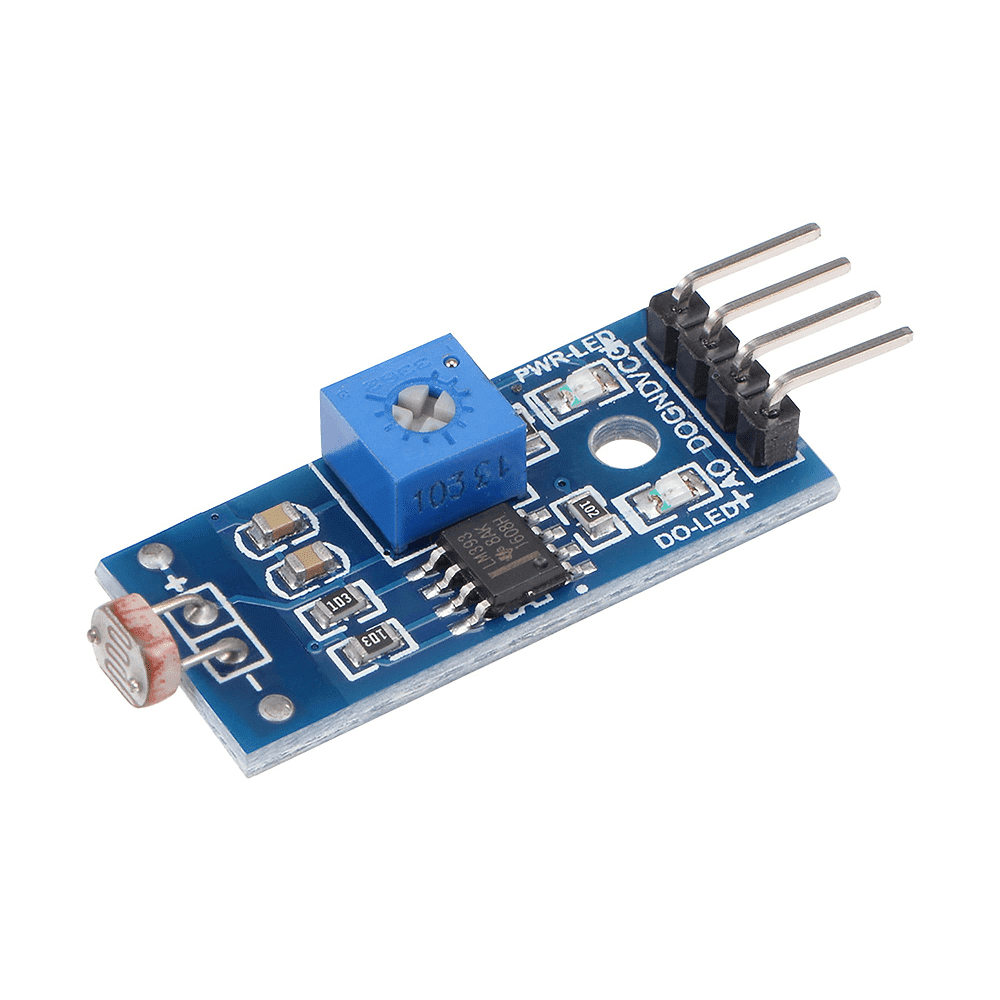
Description
LDR Photoresistor Light Sensor Module
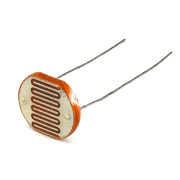
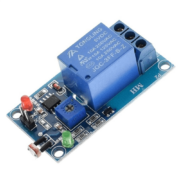
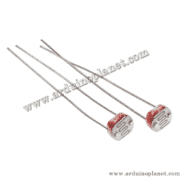
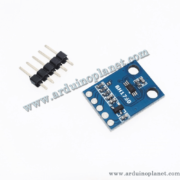
This light-sensor module uses a photoresistor (LDR) to respond to ambient light. It includes an LM393 comparator and provides an analog output that varies with the divider voltage and a digital output whose threshold can be adjusted with the onboard potentiometer.
🔧 Listed specifications
- Operating voltage: 3.3–5 V DC
- Analog output (A0): varies with the sensed light level
- Digital output (D0): switches state around the potentiometer-set threshold; output polarity depends on module configuration
- Comparator: LM393
- Dimensions: 31 × 14 mm
- Indicators: power LED and output LED (as listed)
- Mounting hole: 3 mm
⚙️ How it works
The LDR’s resistance changes with illumination. Together with the board’s resistors it forms a divider, so A0 changes as ambient light changes. The LM393 compares the divider signal with the threshold set by the potentiometer and switches D0 when the threshold is crossed. The analog direction and digital HIGH/LOW behavior can vary with the board circuit and adjustment.
💡 Applications
- Automatic lighting prototypes
- Light/dark alarms
- Home-automation experiments
- Light-following or light-detecting robots
- Light measurement and control projects
📌 Pinout
- VCC: 3.3–5 V DC supply
- GND: ground
- D0: comparator digital output (TTL-level)
- A0: analog divider output
🔌 Basic Arduino Uno example
Connect VCC and GND to the module supply, D0 to Arduino D2, and A0 to Arduino A0. The original code sample is preserved below; adjust the threshold potentiometer to suit the environment.
const int analogPin = A0; // Broche analogique pour la photorésistance
const int digitalPin = 2; // Broche digitale pour la photorésistance
const int ledPin = 13; // Broche de la LED intégrée


void setup() {
  Serial.begin(9600); // Initialiser la communication série
  pinMode(digitalPin, INPUT); // Configurer la broche digitale comme entrée
  pinMode(ledPin, OUTPUT); // Configurer la broche LED comme sortie
}


void loop() {
  int analogValue = analogRead(analogPin); // Lire la valeur analogique
  int digitalValue = digitalRead(digitalPin); // Lire la valeur digitale


  Serial.print("Analog value: ");
  Serial.print(analogValue); // Afficher la valeur analogique
  Serial.print(" | Digital value: ");
  Serial.println(digitalValue); // Afficher la valeur digitale


  if (digitalValue == LOW) { // Si la sortie digitale est basse
    digitalWrite(ledPin, HIGH); // Allumer la LED
  } else {
    digitalWrite(ledPin, LOW); // Éteindre la LED
  }


  delay(500); // Attendre 500 ms avant de refaire une lecture
}
What the basic code does
The sketch reads the analog and digital outputs, reports them over serial, and switches the Arduino’s built-in LED according to the digital output state.
Components for the basic example
- Arduino Uno
- LDR light-sensor module
- Connecting wires
Connections shown by the example
- VCC: Arduino 3.3 V or 5 V, within module rating
- GND: Arduino GND
- D0: Arduino D2
- A0: Arduino A0
📟 Advanced example: I2C LCD
The original LCD code sample is preserved below. It displays the analog reading and a light/dark indication, and also reports values over serial.
#include <Wire.h>
#include <LiquidCrystal_I2C.h>


const int analogPin = A0; // Broche analogique pour la photorésistance
const int digitalPin = 2; // Broche digitale pour la photorésistance
LiquidCrystal_I2C lcd(0x27, 16, 2); // Adresse I2C 0x27, écran 16x2


void setup() {
  lcd.begin(); // Initialiser l'écran LCD
  lcd.backlight(); // Allumer le rétroéclairage de l'écran LCD
  Serial.begin(9600); // Initialiser la communication série
  pinMode(digitalPin, INPUT); // Configurer la broche digitale comme entrée
}


void loop() {
  int analogValue = analogRead(analogPin); // Lire la valeur analogique
  int digitalValue = digitalRead(digitalPin); // Lire la valeur digitale


  lcd.setCursor(0, 0);
  lcd.print("Luminosite: ");
  lcd.print(analogValue); // Afficher la valeur analogique sur l'écran LCD


  lcd.setCursor(0, 1);
  lcd.print("Etat: ");
  if (digitalValue == LOW) {
    lcd.print("Clair");
  } else {
    lcd.print("Sombre");
  }


  Serial.print("Analog value: ");
  Serial.print(analogValue); // Afficher la valeur analogique sur le moniteur série
  Serial.print(" | Digital value: ");
  Serial.println(digitalValue); // Afficher la valeur digitale sur le moniteur série


  delay(500); // Attendre 500 ms avant de refaire une lecture
}
Components for the advanced example
- Arduino Uno
- LDR light-sensor module
- 1602 I2C LCD
- Connecting wires
Connections shown by the example
- VCC / GND: module supply and common ground
- D0: Arduino D2
- A0: Arduino A0
- LCD SDA / SCL: Arduino A4 / A5 on the Uno
Adjust the potentiometer while observing D0 to set the switching threshold. Use A0 for a varying light-level reading; calibrate your own threshold because ambient light, sensor tolerance and board configuration affect the values.
📚 Libraries
The sensor itself does not require a library. The LCD example uses the standard Wire library and a compatible LiquidCrystal_I2C library, installable through the Arduino IDE Library Manager.