Description
XY-6020L 1200W 20A 60V CC/CV Buck Converter with Display
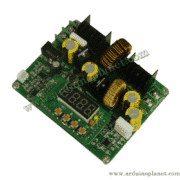
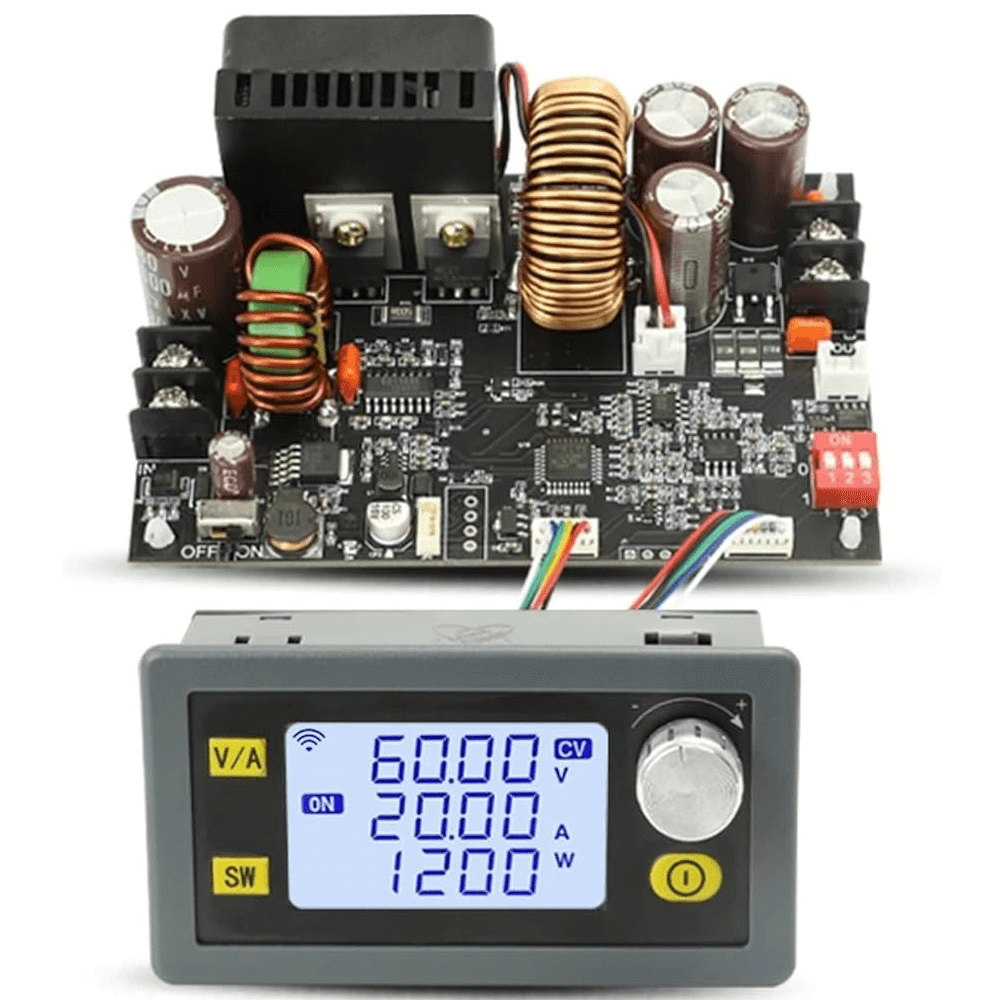
The XY-6020L is a 1200 W constant-current/constant-voltage (CC/CV) buck converter. It supports up to 20 A output over 0–60 V, with a wide 6–70 V DC input range. Its large LCD and rotary encoder allow real-time adjustment and monitoring of voltage, current, power, and energy.
🔧 Technical specifications
- Module: XY-6020L
- Input voltage: 6–70 V DC
- Output voltage: 0.00–60.00 V DC (0.01 V resolution)
- Output current: 0.00–20.00 A (0.01 A resolution)
- Maximum power: 1200 W
- Automatic CC/CV mode: maintains the programmed value
- Display: large backlit LCD (V, I, P, Ah, Wh, and time readings)
- Control: rotary encoder and confirm button
- Cooling: built-in fan, automatic activation (>2 A or >50 W, and temperature >50 °C)
- Protection settings:
- Input overvoltage (adjustable; default 71 V)
- Input undervoltage (adjustable; default 4.8 V)
- Overcurrent (0–22 A; default 22 A)
- Overpower (0–1250 W; default 1250 W)
- Over-temperature (adjustable 60–110 °C; default 95 °C)
- Output short-circuit protection
- Accuracy: voltage ±0.4% + 1 digit; current ±0.5% + 3 digits
- Dimensions: 160 × 110 × 35 mm
- Weight: approx. 400 g
💡 Typical applications
- Test benches and laboratory power supplies
- Battery charging with programmable CC/CV
- DC motor control and high-power LEDs
- IoT projects and prototypes requiring CC/CV
- Industrial automation and component testing
🛠️ Pinout / wiring
| Terminal | Function | Typical connection |
|---|---|---|
| VIN+ | Positive input (6–70 V) | DC source positive (+) |
| VIN– | Negative input (ground) | DC source negative (–) |
| VOUT+ | Positive output (0–60 V) | Load positive (+) |
| VOUT– | Negative output (ground) | Load negative (–) |
| GND | Logic ground (display and logic) | Common ground |
Connect VIN+/VIN– to the power supply and VOUT+/VOUT– to the load. Then set voltage and current with the encoder before enabling the output.
Download the XY-6020L datasheet
XY-6020L operating and configuration guide
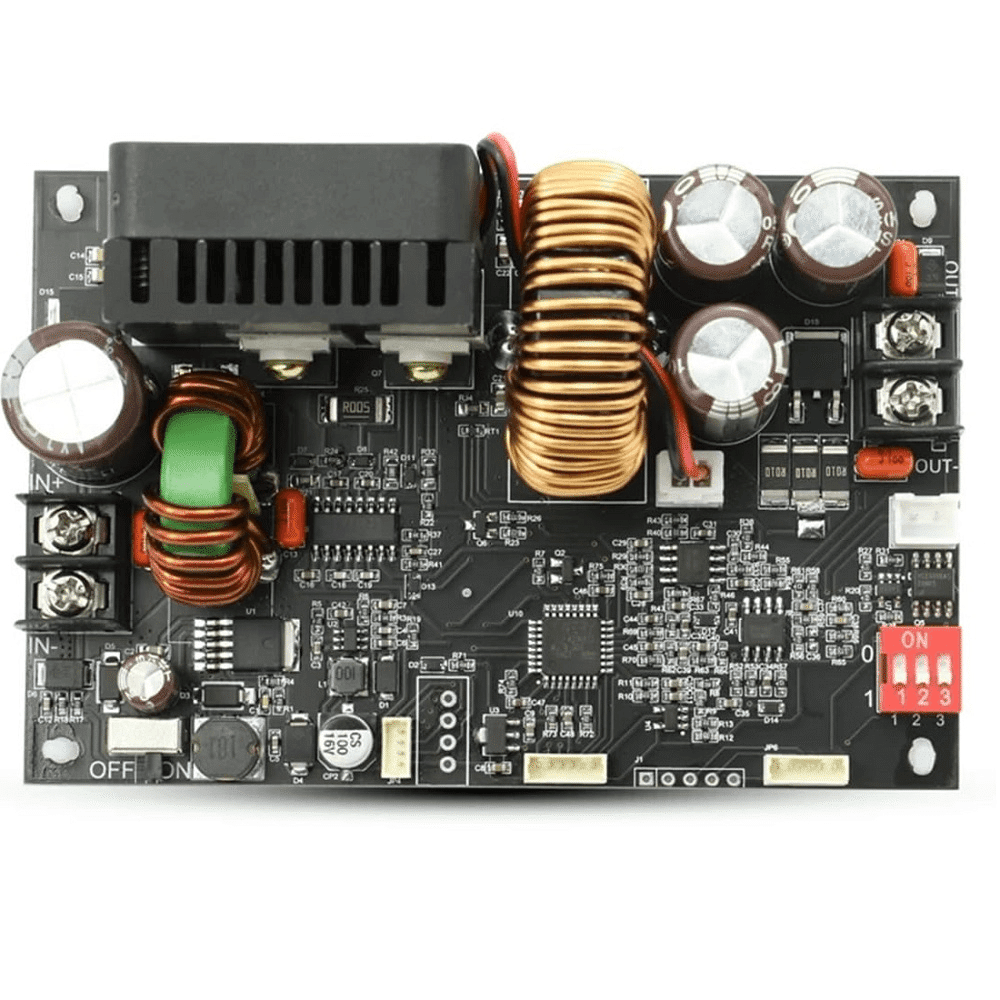
The XY-6020L is an adjustable DC-DC constant-voltage/constant-current (CV/CC) converter rated up to 1200 W (60 V at 20 A). It combines a power board with a separate LCD controller and provides several adjustment modes and external interfaces.
Electrical connections
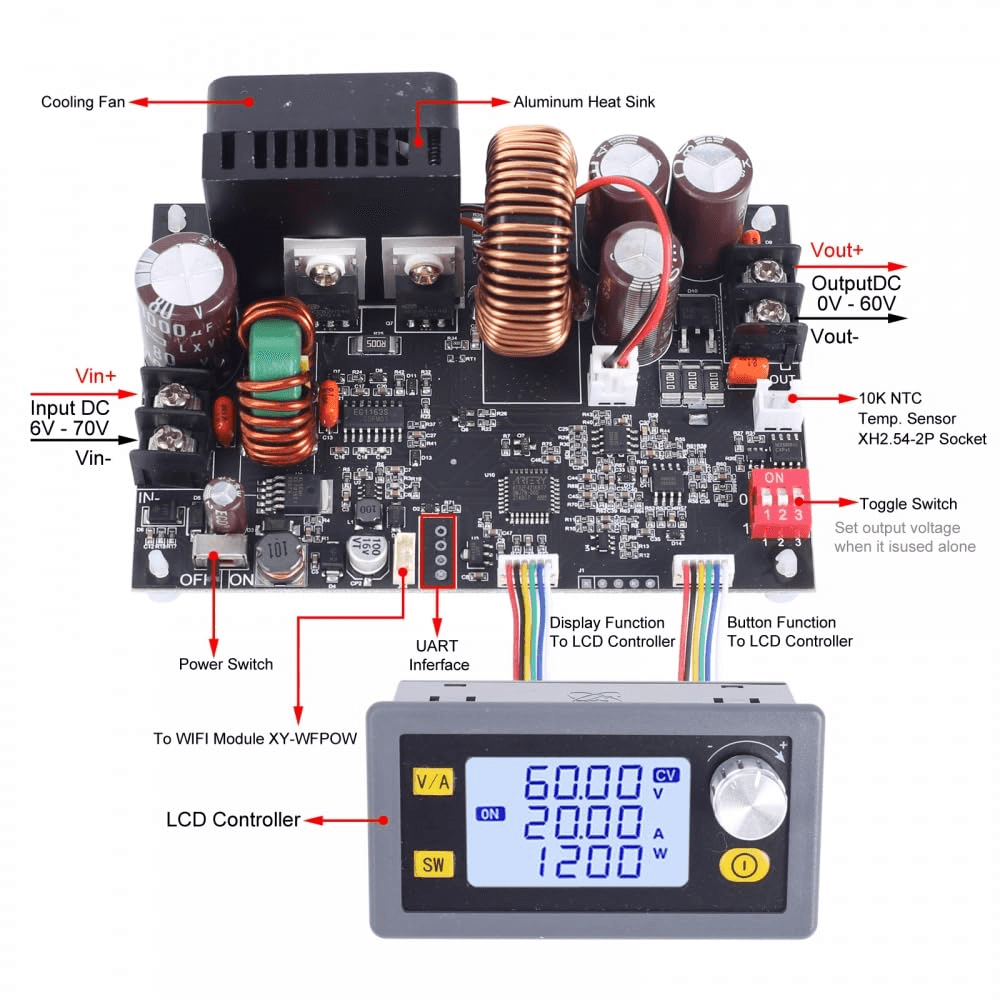
- VIN+ / VIN– (6–70 V DC): power input
- VOUT+ / VOUT– (0–60 V DC at 0–20 A): output to the load
- GND (logic): common ground for the LCD controller
- Ports and headers:
- White XH2.54-2P: external 10 kΩ NTC probe for temperature protection
- 4-pin UART: RS485 Modbus interface or XY-WFPOW Wi-Fi module
- 3-bit toggle switch (DIP): stand-alone voltage presets (5 V, 9 V, 12 V, 24 V, 36 V, 48 V, or 60 V)
- Power switch ON/OFF: switches module logic power
LCD panel and encoder
The controller can display output voltage, output current, power, capacity (Ah), energy (Wh), elapsed time (h), input voltage, CV/CC status, and ON/OFF state at the same time. Use the rotary encoder and its integrated button to navigate and change settings.
Button functions
- V/A (top button): short press enters or exits voltage (CV) or current (CC) setting mode.
- SW (middle button): short press switches the input/output voltage display (the “IN” icon indicates input) or navigates; hold for 2 seconds to open the general parameter settings.
- ON/OFF (bottom button): short press enables or disables the output; hold for 2 seconds to clear the Ah, Wh, and time statistics.
Setting voltage and current
- In normal mode, press V/A to enter voltage adjustment (SET+CV symbol).
- Turn the encoder to change the value (0.01 V resolution). Briefly press the encoder or SW to select the digit to edit.
- Press V/A again to switch to current adjustment (SET+CC symbol; 0.01 A resolution).
- Turn the encoder to adjust, then press and hold V/A to save and return to normal mode.
Advanced parameter menu
- 10 output presets (Cd0–Cd9): quick access to preset voltage/current pairs.
- Parameter lock: hold the encoder for 2 seconds to prevent accidental changes.
- LVP/OVP/OCP/OPP/OTP/ETP/OHP/OAH/OPH protections: adjustable in the parameter menu; values and units can be changed.
- Timeout (0–100 h), over-capacity (0–9999 Ah), and over-energy (0–9999 Wh): automatic cutoff at the selected threshold.
Stand-alone operation with the 3-bit toggle switch
When the LCD controller is not being used, set the DIP switch on the power board (ON = 1, NC = 0) to select a fixed output voltage of 5 V, 9 V, 12 V, 24 V, 36 V, 48 V, or 60 V. Maximum current remains 20 A. Encoder adjustment is disabled in this mode.
External control
- Modbus RTU (RS485): connect a TTL-to-RS485 module to the UART connector to communicate through Modbus registers, control V/I, and read parameters.
- Wi-Fi (XY-WFPOW + SiniLink app): connect the Wi-Fi module to the UART header, register it in the app, then control and monitor the unit remotely.
External temperature probe
Connect a 10 kΩ NTC probe to the white XH2.54-2P socket to enable adjustable external temperature protection (ETP), 0–110 °C.
Memory and startup
The last voltage, current, and mode settings are stored if power is interrupted. On restart, the module resumes its previous output state (ON or OFF).
Startup steps
- For LCD mode, check that the DIP switch is set to NC (or select the required preset).
- Connect VIN+ / VIN–.
- Turn on the chassis power switch.
- Set V/I as required.
- Connect the load to VOUT+ / VOUT–.
- Enable the output with the ON/OFF button or an external command.
Notes
- Always observe VOUT < VIN − 1.1* and the thermal specification.
- The automatic fan activates above 2 A, above 50 W, or above 50 °C.
- Read the protection settings and presets carefully before use.
- For battery charging, ensure VSET is above the battery voltage and the DIP switch is set to NC.