Description
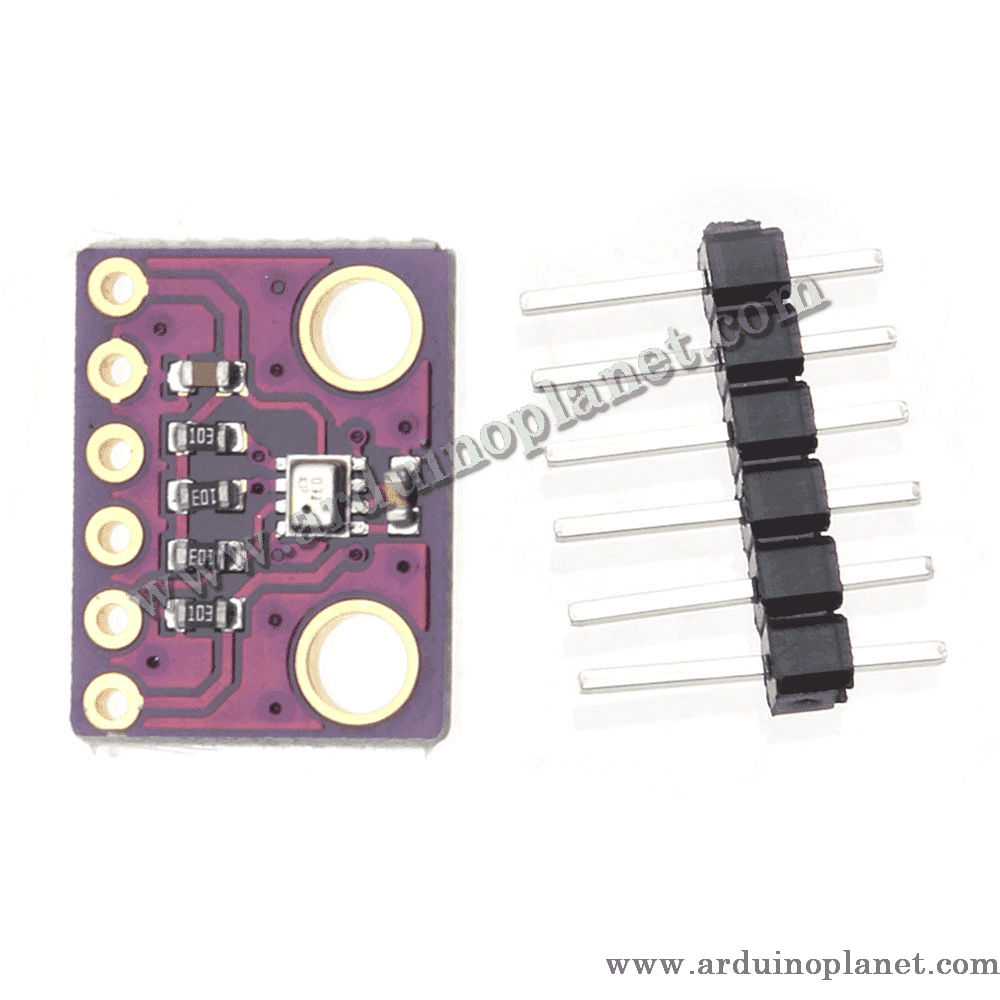
BMP280 Barometric Pressure and Temperature Sensor Module
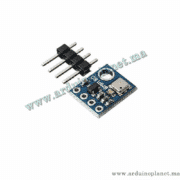
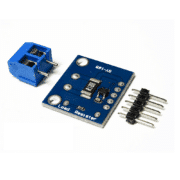
This breakout is built around Bosch’s BMP280 absolute barometric pressure sensor. It measures atmospheric pressure and temperature; a microcontroller can use the pressure reading to estimate altitude or monitor changes in weather. The sensor communicates over I²C or SPI, but the exact connector and supported voltage depend on the breakout-board version supplied.
🔧 BMP280 sensor specifications
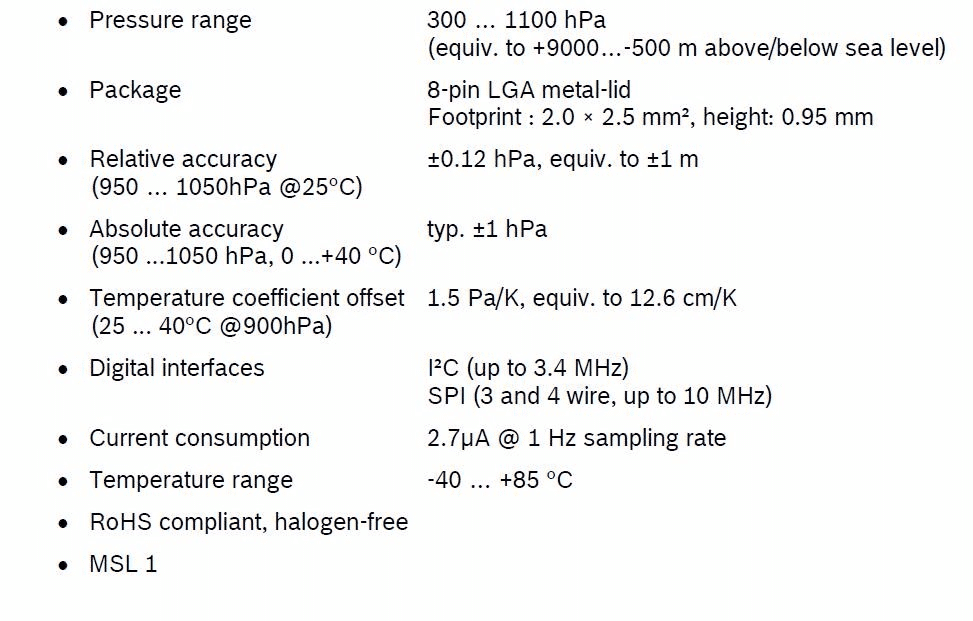
- Pressure operating range: 300–1100 hPa
- Temperature range: −40 to +85 °C
- Typical absolute pressure accuracy: approximately ±1 hPa under the conditions specified by Bosch
- Typical relative pressure accuracy: ±0.12 hPa in the specified 700–900 hPa range at 25 °C
- Digital interfaces: I²C (up to 3.4 MHz) and SPI (up to 10 MHz)
- BMP280 chip supply: 1.71–3.6 V; I/O supply: 1.2–3.6 V
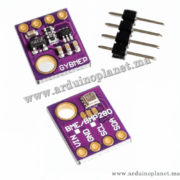
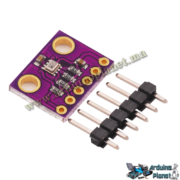
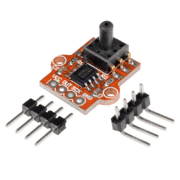
Breakout-board voltage note: the listing describes some I²C versions as having a 5 V regulator, but a regulator alone does not make the I²C pins 5 V tolerant. Do not assume that every 4-pin or 6-pin board includes a regulator or level shifting. Identify the supplied board and its pin labels; use 3.3 V logic unless its documentation confirms 5 V operation. The listing’s current-consumption figures are module/source claims and can vary with the sensor configuration and measurement rate.
⚙️ How it works
The MEMS pressure element senses absolute air pressure, and the sensor also measures temperature. The host reads the digital measurements and can calculate approximate altitude using a suitable pressure reference. Altitude varies with weather and local pressure, so it is an estimate rather than a surveyed elevation.
💡 Applications
- Weather stations and barometric monitoring
- GPS and outdoor navigation support
- Indoor floor or elevator detection prototypes
- Altitude and vertical-motion experiments
- Wearable, hobby and educational projects
📌 Connection notes
Board pin names and count vary. Follow the markings on the actual board. For an I²C breakout, the usual signals are VCC, GND, SDA and SCL; a 6-pin version may additionally expose CSB and SDO for interface/address selection. On common BMP280 breakouts, SDO selects I²C address 0x76 or 0x77; confirm the board configuration. On an Arduino Uno, SDA is A4 and SCL is A5.
🔌 Basic Arduino I²C example
The original code is preserved below. It initializes the BMP280 and prints temperature and pressure readings to the Serial Monitor. The example assumes the sensor responds at I²C address 0x76; use the address configured on the board.
#include <Wire.h>
#include <Adafruit_Sensor.h>
#include <Adafruit_BMP280.h>

// Déclaration du capteur BMP280
Adafruit_BMP280 bmp;

void setup() {
// Initialisation de la communication série
Serial.begin(9600);

// Vérification de la connexion avec le capteur
if (!bmp.begin(0x76)) {
Serial.println(F("Impossible de trouver le capteur BMP280, vérifiez les connexions !"));
while (1);
}
}

void loop() {
// Lecture de la température et affichage sur le moniteur série
Serial.print(F("Température = "));
Serial.print(bmp.readTemperature());
Serial.println(" *C");

// Lecture de la pression et affichage sur le moniteur série
Serial.print(F("Pression = "));
Serial.print(bmp.readPressure());
Serial.println(" Pa");

// Pause de 2 secondes entre les lectures
delay(2000);
}
Components for the basic example
- Arduino Uno
- BMP280 breakout module
- Connecting wires
Connections shown by the source
- VCC: Arduino 3.3 V by default; use 5 V only if the specific breakout explicitly supports it
- GND: Arduino GND
- SCL: Arduino A5 on Uno
- SDA: Arduino A4 on Uno
🌡️ Advanced example with an I²C 16×2 LCD
The second original code example is preserved below. It displays temperature and pressure readings on an I²C LCD. LCD I²C address and library initialization can differ by module/library.
#include <Wire.h>
#include <Adafruit_Sensor.h>
#include <Adafruit_BMP280.h>
#include <LiquidCrystal_I2C.h>


// Déclaration du capteur BMP280
Adafruit_BMP280 bmp;


// Adresse I2C du LCD (0x27 ou 0x3F selon votre module)
LiquidCrystal_I2C lcd(0x27, 16, 2);


void setup() {
  // Initialisation de la communication série
  Serial.begin(9600);


  // Initialisation de l'afficheur LCD
  lcd.begin();
  lcd.backlight();
  lcd.print("Initialisation");


  // Vérification de la connexion avec le capteur
  if (!bmp.begin(0x76)) {
    lcd.print("Erreur BMP280");
    Serial.println(F("Impossible de trouver le capteur BMP280, vérifiez les connexions !"));
    while (1);
  }


  // Affichage prêt
  lcd.clear();
  lcd.print("BMP280 Pret");
}


void loop() {
  // Effacer l'écran avant d'afficher les nouvelles valeurs
  lcd.clear();

  // Lecture de la température et affichage sur le LCD
  lcd.setCursor(0, 0);
  lcd.print("Temp: ");
  lcd.print(bmp.readTemperature());
  lcd.print(" C");


  // Lecture de la pression et affichage sur le LCD
  lcd.setCursor(0, 1);
  lcd.print("Press: ");
  lcd.print(bmp.readPressure() / 100);  // Diviser par 100 pour obtenir la pression en hPa
  lcd.print(" hPa");


  // Pause de 2 secondes entre les lectures
  delay(2000);
}
Connections shown by the source
- BMP280 VCC/GND: connect according to the supplied breakout’s rating
- BMP280 SDA/SCL: Uno A4/A5
- LCD VCC/GND: connect according to the LCD module’s rating
- LCD SDA/SCL: share the I²C bus with the BMP280 only when their supply and pull-up levels are compatible
Software
The source examples use the Arduino Wire library, Adafruit BMP280 and Adafruit Unified Sensor libraries; the LCD example also uses LiquidCrystal_I2C. Install compatible libraries through the Arduino IDE Library Manager and check their current initialization APIs.
Compatibility note: BMP280 measures pressure and temperature, not humidity. It is not interchangeable with a BME280 for humidity readings. Verify the exact chip marking and breakout circuitry before wiring.