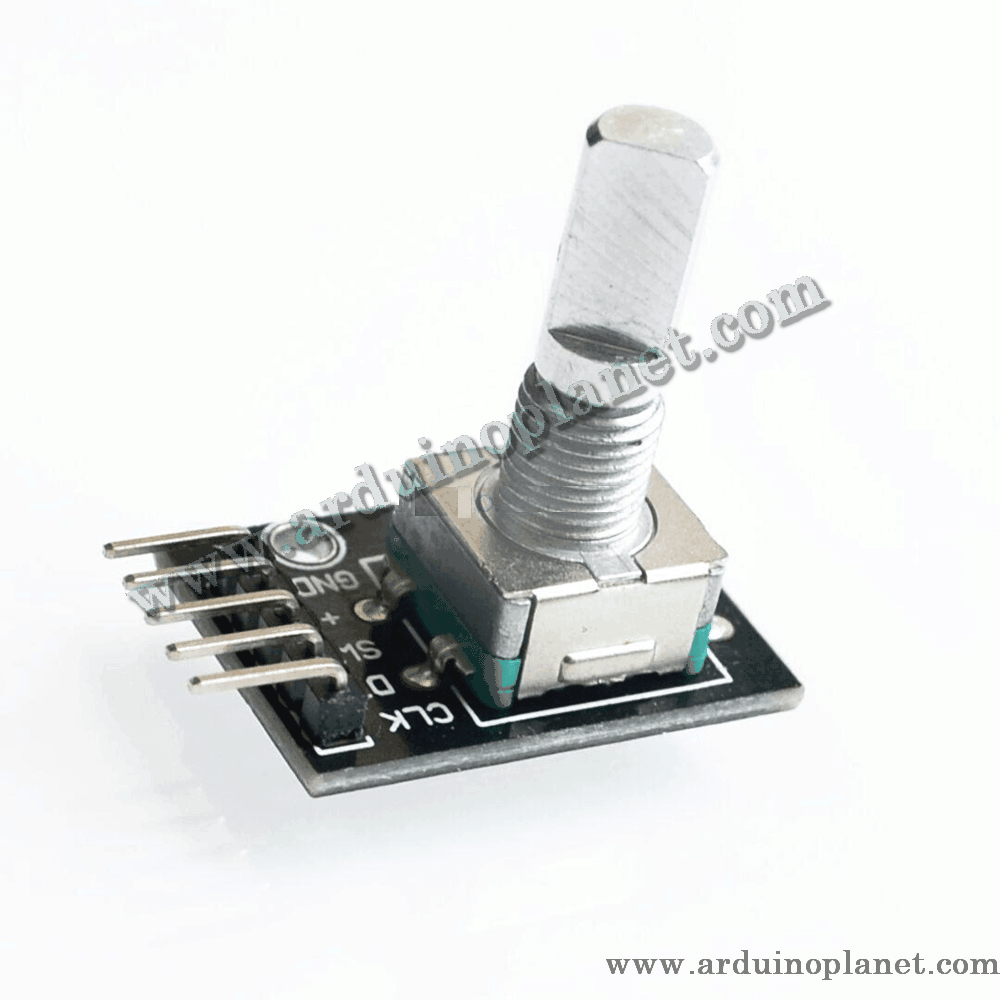
Description
KY-040 Rotary Encoder Module
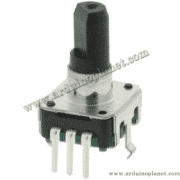
The KY-040 is an electromechanical incremental rotary encoder module. Its two quadrature signals allow a controller to determine relative rotation and direction. The module also includes a push switch for selection or confirmation.
🔧 Listed specifications
- Supply: 5 V DC as stated in the listing
- Encoder type: incremental, with quadrature signals
- Resolution: multiple pulses per revolution; the exact number is not specified in the listing
- Integrated push switch: normally open (N.O.)
- Compact module for control panels and robotics projects
⚙️ How it works
As the shaft turns, the CLK and DT outputs change state in sequence. Comparing the signals indicates the direction of rotation; counting transitions gives relative movement. Pressing the shaft operates the SW switch.
💡 Applications
- Rotary controls for user interfaces
- Relative motor-speed adjustment
- Robot navigation controls
- Interactive interfaces
- DIY electronics projects
📌 Pinout
- GND: ground
- VCC: supply (5 V as listed)
- SW: push-switch output (N.O.)
- DT: quadrature output B
- CLK: quadrature output A
🔌 Using it with an Arduino Uno
Connect GND and VCC to the Arduino ground and a compatible supply. Connect DT and CLK to digital inputs to read rotation, and SW to a digital input to detect a press. The examples below are retained from the source listing; add suitable debouncing if the readings are unstable.
Basic Arduino example
#define CLK 4
#define DT 3
#define SW 2


int counter = 0;
int currentStateCLK;
int lastStateCLK;
String currentDir = "";


void setup() {
  Serial.begin(9600);
  pinMode(CLK, INPUT);
  pinMode(DT, INPUT);
  pinMode(SW, INPUT_PULLUP);
  lastStateCLK = digitalRead(CLK);
}


void loop() {
  currentStateCLK = digitalRead(CLK);
  if (currentStateCLK != lastStateCLK) {
    if (digitalRead(DT) != currentStateCLK) {
      counter--;
      currentDir = "CCW";
    } else {
      counter++;
      currentDir = "CW";
    }
    Serial.print("Direction: ");
    Serial.print(currentDir);
    Serial.print(" | Counter: ");
    Serial.println(counter);
  }
  lastStateCLK = currentStateCLK;


  if (digitalRead(SW) == LOW) {
    Serial.println("Button Pressed");
  } else {
    Serial.println("Button Released");
  }
  delay(50);
}
This sketch reads the encoder signals and reports direction, count, and the push-switch state in the Serial Monitor.
Advanced Arduino example with an I2C LCD
#include <Wire.h>
#include <LiquidCrystal_I2C.h>


LiquidCrystal_I2C lcd(0x27, 16, 2);
#define CLK 4
#define DT 3
#define SW 2


int counter = 0;
int currentStateCLK;
int lastStateCLK;
String currentDir = "";


void setup() {
  lcd.begin();
  lcd.backlight();
  Serial.begin(9600);
  pinMode(CLK, INPUT);
  pinMode(DT, INPUT);
  pinMode(SW, INPUT_PULLUP);
  lastStateCLK = digitalRead(CLK);
}


void loop() {
  currentStateCLK = digitalRead(CLK);
  if (currentStateCLK != lastStateCLK) {
    if (digitalRead(DT) != currentStateCLK) {
      counter--;
      currentDir = "CCW";
    } else {
      counter++;
      currentDir = "CW";
    }
    lcd.clear();
    lcd.setCursor(0, 0);
    lcd.print("Pos: ");
    lcd.print(counter);
    lcd.setCursor(0, 1);
    lcd.print("Dir: ");
    lcd.print(currentDir);
  }
  lastStateCLK = currentStateCLK;


  if (digitalRead(SW) == LOW) {
    Serial.println("Button Pressed");
  } else {
    Serial.println("Button Released");
  }
  delay(50);
}
This example displays the relative count and direction on an I2C LCD and reports button state.
Components for the advanced example
- Arduino Uno
- KY-040 rotary encoder module
- I2C 1602 LCD
- Connecting wires
Code overview
- Include libraries:
#include <Wire.h>and#include <LiquidCrystal_I2C.h>for the LCD. - Initialization: Initializes serial communication, the display, and encoder pins.
- Read and display: Reads the encoder outputs to show direction and relative count on the display and in the Serial Monitor.
Advanced wiring
- VCC: 5V (Arduino)
- GND: GND (Arduino)
- CLK: D4 (Arduino)
- DT: D3 (Arduino)
- SW: D2 (Arduino)
- LCD VCC: 5V (Arduino)
- LCD GND: GND (Arduino)
- LCD SCL: A5 (Arduino Uno)
- LCD SDA: A4 (Arduino Uno)
Library installation
To use the I2C LCD, install the LiquidCrystal I2C library through Arduino IDE’s Library Manager: open Sketch → Include Library → Manage Libraries, search for “LiquidCrystal I2C”, and install it.
Check the pin labels before wiring. The precise pulse count and behavior can vary between encoder versions; the source listing does not identify an exact resolution.