Description
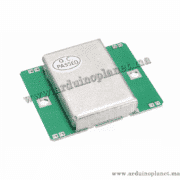
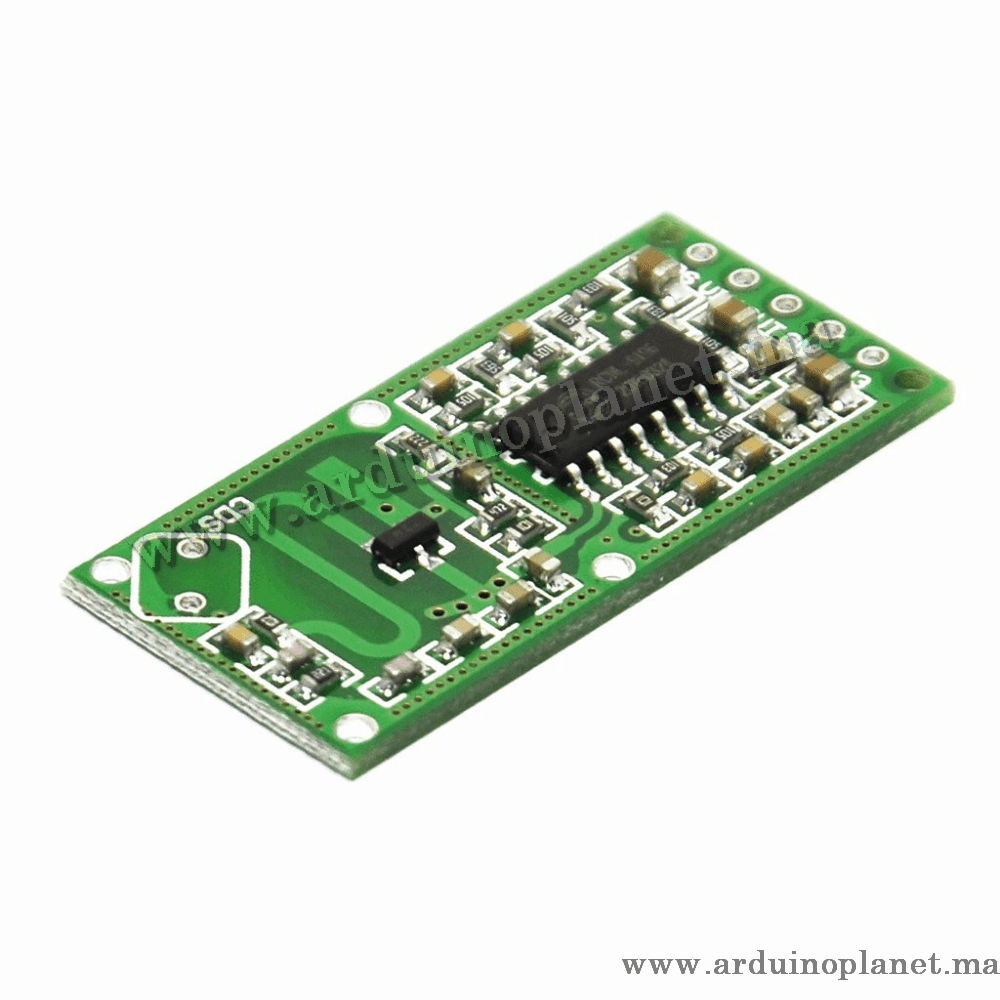
RCWL-0516 Microwave Doppler Motion Sensor Module
The RCWL-0516 is listed as a microwave Doppler motion sensor using an RCWL-9196 chip. The source describes a TTL HIGH output when motion is detected and lists adjustable sensitivity and delay.
Performance claims: the listing states 360° coverage and detection up to 7 m (approximately 5–7 m in another section). Actual range and coverage depend on installation and conditions.
Specifications stated in the source
- Operating voltage: 4–28 V
- Operating current: 2.8 mA typical; 3 mA maximum
- Operating frequency: 3.2 GHz
- Detection distance: up to 7 m
- Transmit power: 20 mW typical; 30 mW maximum
- Output voltage: 3.2–3.4 V; HIGH level listed as 3.3 V
- Output current: up to 100 mA
- Detection angle: 360°
- Operating temperature: −20 to 80 °C
- Dimensions: 46 × 40 × 9 mm
- Price: MAD 40
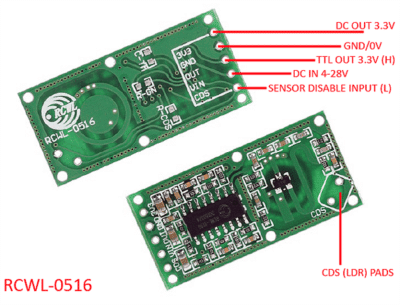
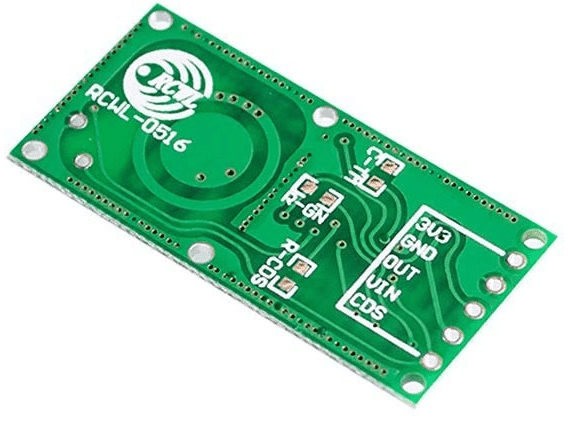
Pins and functions listed
- 3V3: 3.3 V output, up to 100 mA
- GND: ground
- OUT: signal output
- IN: input voltage
- CDS: disable function
Delay, sensitivity and CDS notes from the source
- C-TM: repeat-trigger timing. The source gives a default of 2 seconds and a formula based on measuring the RCWL-9196 frequency at pin F.
- R-GN: detection distance; the source lists up to 7 m with no resistor and 5 m with a 1 MΩ resistor.
- R-CDS: the source describes connecting a light-dependent resistor (LDR) to CDS to disable detection at night.
The source also says the module emits pulses and detects changes in return time when CDS is not connected to GND; OUT returns LOW shortly after motion stops. Verify the board revision and pin labels against its documentation before wiring.
Arduino Uno example: LED and serial monitor
Parts listed: RCWL-0516, Arduino Uno, LED, jumper wires and breadboard. The source wiring uses VIN to 5 V, GND to GND and OUT to digital pin 2.
int sensorPin = 2; // Broche connectée à la sortie du capteur
int ledPin = 13; // Broche connectée à la LED intégrée

void setup() {
pinMode(sensorPin, INPUT);
pinMode(ledPin, OUTPUT);
Serial.begin(9600);
}

void loop() {
int sensorValue = digitalRead(sensorPin);
if (sensorValue == HIGH) {
digitalWrite(ledPin, HIGH);
Serial.println("Mouvement détecté");
} else {
digitalWrite(ledPin, LOW);
Serial.println("Pas de mouvement");
}
delay(1000);
}
Arduino Uno example with 1602 I²C LCD
Connect VIN to 5 V, GND to GND and OUT to digital pin 2. For the LCD, connect SDA to A4 and SCL to A5.
#include <Wire.h>
#include <LiquidCrystal_I2C.h>

LiquidCrystal_I2C lcd(0x27, 16, 2); // Adresse I2C de l'écran LCD

int sensorPin = 2; // Broche connectée à la sortie du capteur

void setup() {
lcd.begin();
lcd.backlight();
pinMode(sensorPin, INPUT);
Serial.begin(9600);
}

void loop() {
int sensorValue = digitalRead(sensorPin);
if (sensorValue == HIGH) {
lcd.setCursor(0, 0);
lcd.print("Mouvement detecte");
Serial.println("Mouvement détecté");
} else {
lcd.setCursor(0, 0);
lcd.print("Pas de mouvement");
Serial.println("Pas de mouvement");
}
delay(1000);
}
Pin mapping and software
- VIN: 5 V in the source Arduino examples
- GND: Arduino GND
- OUT: digital input, such as pin 2
- LCD SDA: A4; LCD SCL: A5
The examples use LiquidCrystal_I2C; install a compatible library through the Arduino IDE Library Manager. Check supply and signal compatibility for your exact board revision.