Description
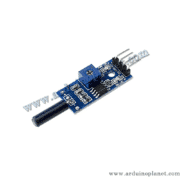
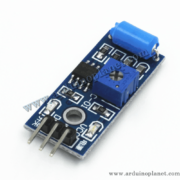
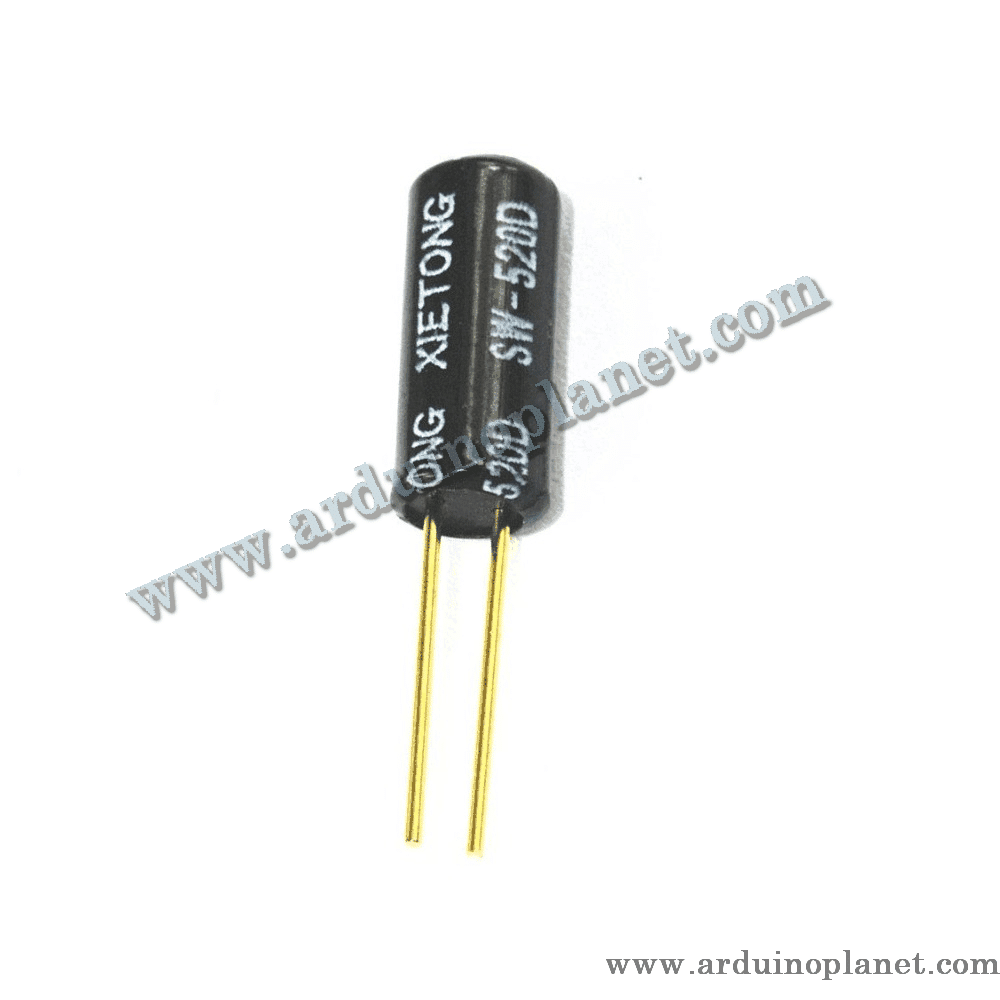
SW-520D Tilt Angle Sensor
The SW-520D is a two-pin sensor used to detect tilt or orientation. It works by detecting the position change of two metal balls inside the sensor. When tilted, the balls make or break an electrical contact, indicating the orientation. This sensor is normally closed (NC) and opens when it reaches a certain angle.
Detailed specifications
- Supply voltage: N/A (operates as a switch)
- Output: Digital (0 or 1)
- Maximum switching current: 20 mA
- Operating temperature: 0°C to +80°C
- Switching angle: 10–15 degrees
- Module dimensions: 42 × 14 mm
How it works
The SW-520D contains two metal balls that make electrical contact when the sensor is tilted. In the horizontal position, the balls touch the internal terminals and create a closed circuit. In the vertical position, or when tilted by more than 10–15 degrees, the balls move and break the contact, creating an open circuit.
Applications
- Security systems
- Digital cameras
- Toys
- Robotic arms
- Vending machines
- Measuring instruments
- Hobby projects
Pinout
- Pin 1: Connect to an Arduino digital input
- Pin 2: Connect to ground (GND)
How to use it
Connect the SW-520D sensor to an Arduino digital input and ground. When tilt is detected, the sensor opens the circuit and sends a digital signal to the Arduino. The Arduino’s internal pull-up resistor can be enabled to keep the signal stable while the sensor is open.
Using it with an Arduino Uno
Basic Arduino code example
const int sensorPin = 2;
int sensorState = 0;


void setup() {
  Serial.begin(9600);
  pinMode(sensorPin, INPUT_PULLUP);
}


void loop() {
  sensorState = digitalRead(sensorPin);
  if (sensorState == LOW) {
    Serial.println("Inclinaison détectée");
  } else {
    Serial.println("Pas d'inclinaison");
  }
  delay(100);
}
What the code does
This code reads the tilt sensor’s digital value and displays its state in the serial monitor.
Components required for the basic example
- Arduino Uno
- SW-520D tilt sensor
- Connecting wires
Basic code explained
- Initialization: Serial communication is started in
setup(). - Reading and displaying data: The sensor values are read and displayed in the serial monitor. The internal pull-up resistor is enabled to keep the signal stable while the sensor is open.
Basic wiring
- Pin 1 (SW-520D): D2 (Arduino)
- Pin 2 (SW-520D): GND (Arduino)
Advanced Arduino code example
#include <Wire.h>
#include <LiquidCrystal_I2C.h>


LiquidCrystal_I2C lcd(0x27, 16, 2);
const int sensorPin = 2;
int sensorState = 0;


void setup() {
  lcd.begin();
  lcd.backlight();
  Serial.begin(9600);
  pinMode(sensorPin, INPUT_PULLUP);
}


void loop() {
  sensorState = digitalRead(sensorPin);
  if (sensorState == LOW) {
    lcd.setCursor(0, 0);
    lcd.print("Inclinaison detectee");
    Serial.println("Inclinaison détectée");
  } else {
    lcd.setCursor(0, 0);
    lcd.print("Pas d'inclinaison ");
    Serial.println("Pas d'inclinaison");
  }
  delay(100);
}
What the code does
This code reads the tilt sensor’s digital value and displays it on an I2C LCD and in the serial monitor.
Components required for the advanced example
- Arduino Uno
- SW-520D tilt sensor
- 1602 I2C LCD
- Connecting wires
Advanced code explained
- Including libraries:
#include <Wire.h>and#include <LiquidCrystal_I2C.h>add the libraries required for the LCD. - Initialization: Communication with the LCD is set up in
setup(). - Reading and displaying data: Sensor values are read and shown on the LCD and in the serial monitor. The internal pull-up resistor is enabled to keep the signal stable when the sensor is open.
Advanced wiring
- Pin 1 (SW-520D): D2 (Arduino)
- Pin 2 (SW-520D): GND (Arduino)
- VCC (LCD): 5 V (Arduino)
- GND (LCD): GND (Arduino)
- SCL (LCD): A5 (Arduino)
- SDA (LCD): A4 (Arduino)
Installing the driver/library
To use the SW-520D sensor and LCD with Arduino, install the LiquidCrystal I2C library through the Arduino IDE:
- Open the Arduino IDE: Make sure you are using the latest version.
- Open the Library Manager: From the menu, choose Sketch → Include Library → Manage Libraries.
- Search for “LiquidCrystal I2C”: Use the search box to find the library.
- Install the library: Click Install to add it to your IDE.
Keywords: tilt, sensor, shaking, vibration, inclination detection, SW-520D, Arduino.